The Top 10 HeyGen Alternatives in 2026 (Free & Paid)

The rise of Generative AI video tools has fundamentally changed how companies and creators approach content production. By 2026, platforms like HeyGen have set a high bar, making hyper-realistic AI avatars, voice cloning, and automated video translation standard features. However, relying on a single vendor can create bottlenecks, especially when specific needs arise—such as enterprise-grade security, highly specialized voice realism, or budget-friendly audio-only solutions.
The landscape is intensely competitive, with many alternatives pushing boundaries in areas where HeyGen might fall short, such as dedicated Learning & Development (L&D) features or extreme personalization for marketing.
Choosing the right alternative depends entirely on your primary goal. Are you an L&D manager needing SCORM compliance? Are you a marketer focused on mass personalization through API integration? Or are you a YouTube creator whose main priority is the most emotionally expressive, budget-friendly text-to-speech (TTS) available? This detailed guide breaks down the top 10 HeyGen alternatives available in 2026, offering specialized tools ranging from full generative video suites like Synthesia and Colossyan to highly refined audio platforms like ElevenLabs and Kveeky. We have analyzed their core strengths, pricing structures, and unique features to help you navigate this fast-evolving ecosystem and find the perfect AI partner for your creative needs.
Quick Look: The Top 10 AI Video and TTS Tools
Kveeky: Best budget-friendly choice for high-quality TTS voiceovers and script generation.
Synthesia: The gold standard for enterprise-grade training, featuring the most realistic avatars and SCORM integration.
Colossyan: Top choice for interactive Learning & Development (L&D) content and branching video scenarios.
DeepBrain AI: Excels in conversational AI agents, catering strongly to news media and finance sectors.
Elai.io: Ideal for quick prompt-to-video generation and automated multi-lingual content scaling.
D-ID: The most accessible option for converting simple photos into talking video avatars quickly and affordably.
Rephrase.ai: Industry leader in personalized video marketing and high-volume sales outreach campaigns.
Murf AI: Highly focused on professional voice cloning and precise audio customization for corporate narration.
ElevenLabs: Unmatched fidelity for audiobooks, gaming, and highly expressive, emotional voice synthesis.
Veed.io: Best for traditional video editors who need light AI enhancements, transcription, and basic avatar features.
HeyGen Alternatives Comparison Table (2026)
This table provides a snapshot of the core offerings, showing the diversity of free options and starting price points across the leading competitors.
| Tool Name | Best For | Free Plan/Trial | Starting Price (Monthly) |
|---|---|---|---|
| Kveeky | Budget-Friendly, High-Quality TTS & Script Generation | Yes (30 min/month) | $8.33 (Pro Annual) |
| Synthesia | Enterprise Training & Corporate Communications | Limited Trial (3 min) | $29 (Starter) |
| Colossyan | L&D and Interactive Training Content | Free Trial Available | $19 (Starter) |
| DeepBrain AI | Conversational AI Agents & News Media | Trial Available | $30 (Starter) |
| Elai.io | Prompt-to-Video & Multi-lingual Automation | Yes (1 min total) | $29 (Creator) |
| D-ID | Quick Photo-to-Video Animation (Low-Cost Entry) | Yes (5 min total) | $5.90 (Lite) |
| Rephrase.ai | Personalized Sales Outreach & Marketing | Trial Available | $25 (Personal) |
| Murf AI | Professional Voice Cloning & Detailed Audio Narration | Yes (Limited voices/minutes) | ~$19 (Basic Annual) |
| ElevenLabs | High-Fidelity Audiobooks & Gaming Voices | Yes (10k characters/mo) | $5 (Starter) |
| Veed.io | Traditional Video Editors Needing Light AI | Yes (Watermarked/Limited) | $25 (Basic) |
1. Kveeky

Best for: Budget-Friendly, High-Quality TTS and Script Generation, especially for high-volume content creators on platforms like YouTube and TikTok.
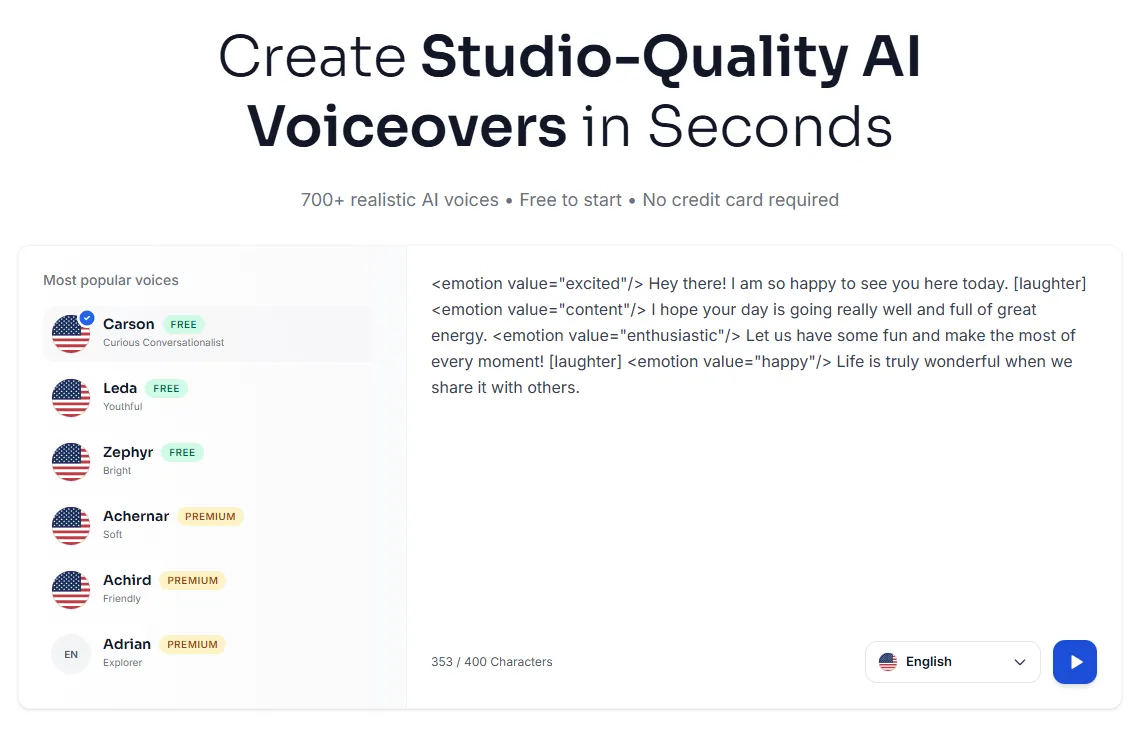
Kveeky takes the top spot on our list because it addresses a fundamental need often overlooked by high-end video avatar generators: exceptionally professional, customizable, and affordable voiceover. While HeyGen focuses on the visual avatar, Kveeky specializes in audio realism, offering 500+ voices across 200+ languages. This massive library ensures that regardless of your target audience, you can find a voice that resonates naturally and authentically, providing a foundational layer of quality audio for any video project. The platform is designed for creators who prioritize emotional depth and language versatility in their narration.
One of Kveeky’s most compelling features is its integrated AI Scriptwriter. This tool accelerates the content creation process significantly, allowing users to move from concept to finalized script and voiceover much faster than traditional methods. For YouTubers generating daily content or marketers rapidly localizing campaigns, this script generation capability is a huge time saver. Furthermore, Kveeky offers advanced controls, including emotional expressions, pitch adjustments, and the ability to finely tune word emphasis, making it a powerful tool for injecting human nuance into synthesized speech.
Kveeky has quickly grown, reporting over 50,000 total users and 5,500+ paid customers, demonstrating its strong value proposition in the crowded TTS market. It stands out by offering premium features—like access to the full voice library and emotional expressions—at a highly competitive price point, often undercutting competitors like Murf and ElevenLabs for equivalent output volume. By focusing purely on audio excellence, Kveeky allows creators to bypass the complexity and higher costs associated with generative video avatars, providing a professional sound foundation that can be easily layered onto existing video footage or stock media. Check out Kveeky for yourself.
Pros & Cons
Pros:
Highly competitive pricing, offering superb value for high-volume usage.
Massive library of 500+ voices and 200+ languages, promoting global reach.
Includes a built-in AI script generation tool to streamline workflow.
Advanced emotional expressions and granular voice control are available on premium plans.
Excellent solution for creators prioritizing narrative quality over avatar visuals.
Cons:
Primarily an audio tool; does not generate video avatars or full scene production (like HeyGen).
Character limits on free and lower-tier paid plans can restrict initial experimentation.
Users must integrate the audio output into a separate video editor.
How to Use Kveeky Effectively
If you are producing YouTube explainers, TikTok voiceovers, or internal corporate announcements where professional narration is key but a full avatar isn't necessary, Kveeky is ideal. Start by utilizing the AI Scriptwriter to draft your content outline based on your video topic. Once the script is polished, select a premium voice that aligns with your brand—for example, a formal corporate voice for training or an energetic, casual voice for social media. Crucially, use the emotional expression controls to add inflection points (like excitement, seriousness, or warmth) to prevent the voice from sounding robotic. Finally, download the high-fidelity audio and sync it with your video clips in your editor of choice.
Pricing
Free Plan: Includes 30 minutes of audio per month using standard voices.
Paid Plan: Starts from $8.33 per month (Pro plan, billed annually) for 4 hours of audio per month, full voice access, and more advanced features.
2. Synthesia

Best for: Enterprise-Grade Training, Corporate Communications, and highly regulated industries requiring the most realistic avatars and superior security features.
Synthesia is arguably the closest, and in some areas superior, competitor to HeyGen in the full generative video space. It is widely recognized as the market leader for enterprise applications, largely due to its commitment to high-fidelity avatars and robust features designed for large organizations. Synthesia boasts over 240 hyper-realistic AI avatars and supports 140+ languages, making it a powerhouse for global content deployment. Based on market data, Synthesia is highly rated, earning a 4.7/5 on G2, with users often citing its "more professional-looking avatars and superior voice quality" compared to rivals.
A key differentiator for Synthesia is its focus on corporate learning and scalability. It is one of the few platforms that offers SCORM export capabilities, enabling seamless integration into Learning Management Systems (LMS) used by major corporations. This makes it an invaluable tool for L&D departments needing to roll out standardized training materials globally. Furthermore, Synthesia supports real-time collaboration and allows for multi-avatar scenes, simplifying the production of complex, dialogue-heavy training videos or internal corporate news broadcasts.
While Synthesia carries a higher price tag than many alternatives, this cost reflects the quality and security offered. The platform prioritizes GDPR compliance and robust security protocols, which are non-negotiable for finance, healthcare, and other highly regulated sectors. Their latest updates include a Multilingual Video Player that allows for 1-click translation of existing content, drastically cutting down localization time. Synthesia sets the benchmark for professional, secure, and scalable AI video production. Learn more about its capabilities at Synthesia.
Pros & Cons
Pros:
Offers the most hyper-realistic and professional avatars available in 2026.
SCORM export and LMS integration critical for corporate L&D teams.
Strong emphasis on security, compliance (GDPR), and user data protection.
Supports advanced features like real-time collaboration and multi-avatar scenes.
Superior voice quality and sophisticated lip-syncing technology.
Cons:
High price point for advanced plans, making it less accessible for individual creators.
Does not offer a free plan, only a highly limited trial (3 minutes).
Video rendering times can occasionally be longer for complex, multi-scene projects.
How to Use Synthesia Effectively
Synthesia excels in large-scale organizational use. To maximize its impact, L&D managers should integrate it directly with their existing LMS via SCORM export. For global teams, utilize the Multilingual Video Player to instantly create localized versions of core training modules. Instead of relying solely on stock avatars, large enterprises should invest in creating a custom avatar of a key executive or lead trainer; this instantly adds authority and familiarity to internal communications. Use the collaboration features to allow subject matter experts (SMEs) to review and approve scripts before the final video generation.
Pricing
Free Plan: Offers a limited Free AI Video Trial of 3 minutes total generation, using a limited set of avatars.
Paid Plan: Starts from $29 per month (Starter plan) for 10 minutes of video per month, commercial use rights, and 90+ AI avatars.
3. Colossyan

Best for: Learning & Development (L&D) teams focused on creating engaging, interactive, and high-volume training content.
Colossyan positions itself as the generative video solution built specifically for the needs of educators and trainers. While it competes with Synthesia on avatar quality, Colossyan differentiates itself by prioritizing interactive features and offering remarkably competitive pricing for high-volume users. The platform provides access to 200+ AI avatars and features critical L&D components like SCORM export, aligning it perfectly with corporate training requirements.
What truly makes Colossyan a powerful alternative is its emphasis on interactivity and scenario-based learning. The platform supports branching video scenarios, allowing creators to design quizzes, decision points, and personalized learning pathways within the video itself. This level of engagement dramatically increases knowledge retention compared to static video presentations. Furthermore, Colossyan allows for the use of multiple avatars per scene and offers a document-to-video workflow, simplifying the process of transforming existing written materials into dynamic video lessons.
One of the most attractive benefits of choosing Colossyan for training purposes is the scalability built into its business model. Unlike many competitors that cap minutes severely, the Colossyan Business plan offers unlimited video creation minutes for $70/month (billed annually). This cost-effective solution is unmatched for large organizations that need to generate thousands of minutes of video content annually without incurring prohibitive per-minute costs. Although reports suggest its avatars might be slightly less lifelike than Synthesia’s top tier, the feature set for L&D vastly outweighs this minor visual difference for its target audience. Find out more about creating interactive training at Colossyan.
Pros & Cons
Pros:
The Business plan offers highly cost-effective unlimited minutes for high-volume content generation.
Dedicated L&D features, including SCORM compatibility and branching video scenarios (interactive quizzes).
Supports conversational avatars and easy document-to-video workflows.
Competitive starting price for individual creators ($19/mo).
Strong focus on educational content engagement and retention.
Cons:
Avatar realism and micro-expressions can sometimes lag behind the absolute best competitors.
Slower rendering times have been reported for very large projects.
The music and template library is smaller compared to more generalized video editors.
How to Use Colossyan Effectively
L&D professionals should utilize Colossyan’s branching capabilities to create complex simulations and decision-making exercises. Instead of creating one long, passive video, break content into short segments linked by user input, mimicking real-world scenarios. Leverage the unlimited minutes on the Business plan to rapidly prototype and iterate on different training modules without worrying about consumption caps. Use the document-to-video feature to quickly convert policy documents or user manuals into engaging, video-delivered instructions, improving accessibility and comprehension across the organization.
Pricing
Free Plan: Offers a Free plan with 3 minutes of video generation per month, 20+ stock AI Avatars, and a maximum video duration of 3 minutes.
Paid Plan: Starts from $19 per month (Starter plan, billed annually) for 15 minutes of video generation per month and access to 70+ AI Avatars.
4. DeepBrain AI (AI Studios)

Best for: Conversational AI Agents, News Media broadcasts, and specialized corporate communications in finance and technology sectors.
DeepBrain AI, particularly through its AI Studios platform, carves out a niche by focusing heavily on conversational AI and ultra-realistic avatars optimized for specific high-stakes communication environments. While it offers standard generative video, its true power lies in its ability to create AI presenters that can interact dynamically, functioning almost as sophisticated chatbots integrated into a video format. The platform offers hyper-realistic avatars and supports over 100 languages, ensuring broad applicability.
One major technological advantage of DeepBrain AI is its focus on integrating generative AI text models directly into the video creation workflow. It features integrated ChatGPT functionality, allowing users to generate scripts and corresponding video segments almost instantaneously within the same environment. This streamlined process is highly beneficial for organizations that need rapid content turnaround, such as news agencies broadcasting quick updates or financial firms providing market summaries.
DeepBrain AI is highly favored in sectors like broadcast news and finance because its avatars are specifically optimized for formal, professional presentation styles. It offers specialized industry templates that reflect the aesthetic needs of these fields. However, this high level of professional focus comes at a cost; the Pro plan is significantly more expensive than many competitors at $225 per month. Users prioritizing sophisticated, conversational interaction and absolute avatar realism in a formal setting will find DeepBrain AI an excellent, albeit premium, alternative to HeyGen. You can explore their AI agents at DeepBrain AI.
Pros & Cons
Pros:
Excellent focus on creating hyper-realistic, professional avatars suitable for news and finance.
Strong conversational AI capabilities, enabling dynamic, interactive agents.
Integrated ChatGPT functionality for rapid script and video generation.
Offers a very easy-to-use video editor despite the complexity of the underlying technology.
Specialized industry templates enhance professional output.
Cons:
The high cost of the Pro plan ($225/mo) makes it prohibitive for smaller businesses.
Offers fewer total AI avatar options than top competitors like Synthesia.
Less focus on creative, non-corporate video styles or general-purpose short-form content.
How to Use DeepBrain AI Effectively
If you manage a digital news desk or a financial advisory channel, utilize DeepBrain AI’s conversational agents to create 24/7 video support or automated market updates. Set up the AI agent to pull real-time data and present it using its professional avatars, ensuring your communications maintain a polished, authoritative look. For internal training within highly regulated companies, use the specialized templates to maintain consistency and professionalism across all compliance videos. Leverage the ChatGPT integration to quickly summarize complex regulatory changes into concise video scripts.
Pricing
Free Plan: A free trial is available for users focused on testing the creation of conversational AI video content.
Paid Plan: Starts from $30 per month (Starter plan) for basic usage and access to professional AI avatars.
5. Elai.io

Best for: Prompt-to-Video generation and rapid, automated multi-lingual content creation, specifically for marketing and knowledge base needs.
Elai.io serves as an efficient and flexible AI video platform, often praised for its robust automation features and intuitive workflow, making it a strong alternative to HeyGen. With 80+ customizable avatars and support for one-click automatic translation, Elai.io significantly accelerates the localization process for global businesses. It excels when users need to quickly transform a text prompt or a short article into a fully rendered, voiceover video.
The platform’s strength lies in its AI storyboard feature, which allows users to generate a complete video framework simply by inputting a detailed text prompt. This feature is a massive time saver for content marketers who need to produce numerous explanatory videos quickly. Furthermore, Elai.io provides API access, allowing developers to integrate video creation directly into their existing systems, facilitating scalable, automated content pipelines. This is especially useful for automatically updating product tutorial videos whenever documentation changes.
Elai.io offers flexible pricing tiers, including a free plan (1 minute total), which lowers the barrier to entry significantly. While its avatars might not possess the absolute lifelike micro-expressions of Synthesia’s top tier, Elai.io compensates with speed and versatility. It even offers a unique selfie-to-avatar creation option, enabling users to quickly generate a basic digital representation of themselves for personalization. While some comparisons note that the lip-sync quality can occasionally be inconsistent compared to industry leaders, the strong prompt-to-video functionality makes Elai.io a highly efficient tool for high-volume content creation. Check out the automated translation features at Elai.io.
Pros & Cons
Pros:
Powerful AI storyboard feature transforms complex prompts into video drafts quickly.
Supports automated, one-click translation for global content localization.
Offers API access for integration into automated content creation workflows.
Flexible pricing structure, including a limited but useful free plan.
Option to create a basic avatar from a user selfie.
Cons:
Avatars sometimes lack subtle lifelike micro-expressions and gestures.
Lip-sync quality has been noted as occasionally inconsistent on rapid dialogue.
The template and background library is somewhat limited compared to all-in-one video editors.
How to Use Elai.io Effectively
Marketing teams can utilize the prompt-to-video function to generate short, engaging social media clips derived from long-form blog posts or case studies. Instead of manual translation, use the one-click feature to generate localized versions for international markets immediately after the English version is approved. For internal IT teams, integrate the API to automatically generate short, updated video announcements about system changes whenever an internal ticket is resolved or a knowledge base article is modified.
Pricing
Free Plan: Includes 1 total minute of video generation, access to 80+ avatars and 75+ languages (watermarked).
Paid Plan: Starts from $29 per month (Creator plan) for 15 minutes of video generation per month, full commercial rights, and access to advanced features.
6. D-ID

Best for: Quick Photo-to-Video animation, generative AI animation, and low-cost entry into avatar creation, perfect for budget-conscious solo creators.
D-ID stands out as an incredibly versatile and affordable entry point into generative AI video. It pioneered the technology of taking a single still photograph and bringing it to life with sophisticated AI, transforming it into a talking avatar that delivers narrated script. This capability makes D-ID uniquely suitable for creators who want to use images of themselves, historical figures, or cartoon characters to create dynamic video content without needing extensive full-body motion capture.
The platform is highly effective for short-form content creation, rapid prototyping, and creative projects that demand speed and low latency. D-ID offers a generative AI Studio where users can quickly upload a photo, type a script, and render a video in minutes. It is also distinguished by its real-time streaming API, allowing developers to integrate live, conversational avatars into applications, virtual kiosks, or customer service bots—a feature generally reserved for expensive enterprise platforms.
D-ID has extremely low-cost entry points, starting with a free trial of 5 total minutes and a Lite plan at just $5.90 per month. However, potential users must be aware of a significant caveat: the watermark remains on videos generated in both the Lite and Pro plans. To remove the watermark, which is necessary for professional commercial use, users must upgrade to the Advanced plan, priced at $196 per month. Despite this jump in cost, D-ID remains the easiest and fastest way to animate a static image. Check out the photo-to-avatar feature at D-ID.
Pros & Cons
Pros:
Highly versatile and fast rendering for quick video generation.
Allows custom avatars to be created instantly from a single photograph.
Very affordable entry plans (Lite/Pro) for non-commercial or casual use.
Offers a real-time streaming API for sophisticated, low-latency applications.
Excellent for animating historical figures or artistic renderings.
Cons:
The video watermark is only removed on the expensive $196/month Advanced plan.
Limited commercial license on the Lite and Pro plans restricts high-level business use.
Lacks the extensive video editing features and scene transitions of full generative video suites.
Avatars primarily focus on head-and-shoulder movements rather than full-body animation.
How to Use D-ID Effectively
Solo creators producing educational content or artistic projects should leverage the low-cost plans to animate unique characters or historical figures for rapid storytelling. Use the free and Lite tiers for prototyping and testing scripts. For commercial applications, utilize the real-time API to integrate talking heads into website customer service portals or to create personalized video messages on a large scale via external systems. Remember that for professional distribution, budgeting for the Advanced plan is necessary to remove branding.
Pricing
Free Plan: Offers a 14-day trial with 3 minutes of video creation, 100+ stock avatars, and 1 Personal Avatar (with a full-screen watermark).
Paid Plan: Starts from $4.70 per month (Lite plan, billed annually) for 10 minutes of video per month, commercial use, and access to basic avatar features.
7. Rephrase.ai
Best for: Personalized Sales Outreach, Marketing Campaigns, and scalable dynamic video creation driven by massive data integration.
Rephrase.ai focuses almost exclusively on maximizing personalization and conversion through video, setting it apart from competitors focused primarily on L&D or general content creation. If your goal is to send hundreds or thousands of videos to individual clients with their name, company, or specific data points dynamically inserted by an AI avatar, Rephrase.ai is the industry leader. It targets sales, marketing, and customer success teams looking to humanize large-scale digital communication.
The core technology of Rephrase.ai is its ability to handle dynamic data insertion at scale via a powerful API. This allows marketers to link their CRM or marketing automation platforms directly to Rephrase.ai, automatically generating customized welcome videos, personalized product demos, or follow-up messages for every unique contact. The platform utilizes high-quality stock AI actors that can deliver these messages convincingly, greatly enhancing engagement metrics compared to generic email text.
Because of this heavy specialization, Rephrase.ai offers fewer of the typical general-purpose features found in HeyGen alternatives, such as automatic language translation or extensive template libraries for explainer videos. Instead, its feature set is optimized purely for maximizing personalization impact. The pricing structure reflects this focus, with a lower-tier Personal plan leading into a fully custom, high-volume Customer plan. Rephrase.ai is the professional choice for personalized video at scale. Discover their API capabilities at Rephrase.ai.
Pros & Cons
Pros:
Industry-leading capabilities for mass personalization and dynamic data insertion into videos.
Powerful API specifically designed for high-volume custom video generation.
Strong focus on measurable marketing conversion and sales outreach effectiveness.
High-quality stock AI actors suitable for professional communication.
Excellent integration possibilities with existing CRM and marketing stacks.
Cons:
Expensive for individual creators who don't need mass personalization.
Lacks standard generalized features like automated language translation.
The platform is highly niche; less useful for generating L&D or general instructional videos.
Few built-in templates or advanced scene animations.
How to Use Rephrase.ai Effectively
Sales development representatives (SDRs) should integrate Rephrase.ai with their outreach tools to automatically generate personalized video introductions for cold prospects, using data points like the prospect’s industry or company name. Marketing teams can use the platform to create hyper-personalized landing page experiences where a video greets the user by name upon arrival. Focus heavily on creating high-converting scripts that leverage the personalization technology to establish an immediate, human connection with the recipient.
Pricing
Free Plan: A trial is available for users focused on testing the personalized video generation platform.
Paid Plan: Starts from $25 per month (Personal plan) which includes video credits, limited API access, and the ability to generate personalized videos.
8. Murf AI

Best for: Professional Voice Cloning, Podcasts, and eLearning Narration requiring precise audio customization and corporate-grade voice quality (Pure Audio Focus).
Murf AI is a titan in the Text-to-Speech (TTS) world, focusing entirely on delivering voice quality and customization capabilities that meet the demands of professional audio producers, corporate narrators, and podcast hosts. Similar to Kveeky and ElevenLabs, Murf does not produce video avatars, but it excels in creating the audio foundation necessary for any high-quality video project. Murf offers over 200 high-quality voices across 45+ languages, providing substantial international reach.
What sets Murf apart is its granular voice customization. Users can control every element of the voice performance, including pitch modulation, adding specific pauses for dramatic effect, and precisely managing word emphasis. This level of control allows users to transform a standard AI voice into a highly expressive, nuanced performance that mimics a professional voice actor. For corporate training videos, where the audio must be clear, authoritative, and perfectly paced, Murf is an exceptional choice.
Murf also offers robust Voice Changer technology, which allows users to record their own rough voiceover and convert it into a polished, studio-quality AI voice, while retaining the pacing and emotion of the original recording. This feature is invaluable for saving time on re-recording. While Murf’s costs for high-volume usage are typically higher than Kveeky, the Pro plan includes voice cloning features and comprehensive commercial rights, making it essential for enterprises that require a specific brand voice identity across all content. Find your perfect voice at Murf AI.
Pros & Cons
Pros:
Excellent voice quality and realism, optimized for professional narration and corporate audio.
Highly granular audio controls: pitch, pause insertion, and emphasis management.
Robust voice cloning capabilities on higher plans for brand consistency.
Voice Changer feature speeds up the production workflow dramatically.
Ideal for high-stakes educational or corporate audio where clarity is paramount.
Cons:
Not a video generator; requires integration into a separate video editing suite.
Higher cost than Kveeky for equivalent high-volume TTS minutes.
Unlimited downloads and full commercial rights are often locked behind the expensive Pro tier.
Slightly fewer language options than competitors like Kveeky or Listnr.
How to Use Murf AI Effectively
If you are producing an eLearning course, use Murf’s customization features to maintain a consistent, slow, and clear pace necessary for instructional content. Upload a sample of a preferred human voice actor to utilize the voice cloning feature, ensuring your AI voice sounds identical to your corporate spokesperson. For complex podcasts or audio dramas, leverage the pitch and emphasis controls to differentiate between characters or highlight important narrative moments, creating a far more engaging listening experience than standard TTS tools.
Pricing
Free Plan: Includes 10 minutes of voice generation and access to 200+ voices, but does not allow downloads or commercial usage rights.
Paid Plan: Starts from ~$19 per month (Creator plan, billed annually) offering 24 hours of voice generation per year, unlimited downloads, and commercial rights.
9. ElevenLabs

Best for: High-Fidelity Audiobooks, Gaming Character Voices, and any creative project demanding the absolute best in expressive, context-aware voice synthesis.
ElevenLabs has rapidly gained recognition as the undisputed leader in high-fidelity, emotionally expressive synthetic speech. While it operates in the same space as Kveeky and Murf (pure TTS), ElevenLabs focuses its technology almost entirely on achieving voice realism that includes subtle breathing, natural context adaptation, and dynamic inflection unmatched by most competitors. Its voices are often described as having the highest emotional IQ of any AI voice model on the market.
The platform offers an impressive library of 1200+ unique, high-fidelity AI voices, though its language count (29 languages) is lower than some general TTS platforms. This is a deliberate choice, reflecting their focus on depth of quality within key global languages rather than breadth. ElevenLabs allows users to adjust voice settings using granular sliders for "stability" (consistency of tone) and "clarity" (pronunciation precision), giving professionals fine-tuned control over the emotional output of the speech.
Beyond standard TTS, ElevenLabs has expanded into cutting-edge audio features like Text-to-SFX (Sound Effects) and a Voice Isolator, which is crucial for cleaning up audio recordings intended for voice cloning. ElevenLabs remains the gold standard for projects where audio quality is mission-critical, such as professional audiobooks, gaming localization, or film dubbing. The Creator plan is highly accessible at $22 per month, making this premium technology attainable for serious creative professionals. Explore their voice demos at ElevenLabs.
Pros & Cons
Pros:
Widely considered to have the best voice synthesis quality and realism in the industry.
Highly expressive voices capable of context-aware inflection and emotional range.
Low latency makes it suitable for conversational, real-time applications.
Generous free tier (10,000 characters/month) for extensive testing.
Advanced features like Voice Isolator and Text-to-SFX add professional utility.
Cons:
Lower language count (29) compared to highly multilingual platforms like Kveeky or Listnr.
Primarily an audio tool; no visual avatar generation.
The character limit can be reached quickly on lower paid tiers for long-form content like audiobooks.
Requires external tools for video synchronization and editing.
How to Use ElevenLabs Effectively
For audiobook narrators or game developers, utilize ElevenLabs' stability and clarity controls to ensure character voices remain consistent throughout long narrative arcs. If cloning a voice, use the Voice Isolator feature beforehand to clean up the source audio, ensuring the highest possible fidelity. Due to its expressive capabilities, experiment with shorter promotional snippets for social media where subtle emotional shifts (excitement, urgency) can drive higher engagement. Combine this audio with stock footage or simple graphics for highly impactful video content.
Pricing
Free Plan: Includes 10,000 characters/month (approx. 10 minutes of TTS) for trying the platform, but requires attribution and excludes commercial use.
Paid Plan: Starts from $5 per month (Starter plan) offering 30,000 characters/month, full commercial licensing, and instant voice cloning.
10. Veed.io

Best for: Traditional Video Editors who need light AI enhancements, such as automated transcription, auto-subtitles, and basic avatar features, within a comprehensive editing environment.
Veed.io differentiates itself from the generative AI pack by starting life as a powerful, cloud-based traditional video editor and subsequently adding useful, lightweight AI functionalities. If you are comfortable editing videos traditionally—cutting footage, adding transitions, and managing timelines—but want to leverage AI for specific tasks like generating captions, translation, or a basic avatar overlay, Veed.io is the ideal blend. It is not a dedicated avatar generator like HeyGen or Synthesia but a full-service editor with powerful AI tools.
The platform excels at enhancing existing footage. Its auto-subtitles feature is fast and accurate, crucial for accessibility and engagement on social media. It also offers automatic translation for these subtitles. Veed.io includes screen and webcam recording features, making it excellent for quickly generating tutorials and software demos. A unique and highly useful AI feature is the "Eye Contact" tool, which subtly corrects the speaker’s gaze, making them appear to look directly at the camera even if they were reading off-screen.
While Veed.io does offer basic avatar generation and text-to-video capabilities, these features are considered secondary and are less robust than the dedicated platforms on this list. However, its strength lies in integration; users can handle all editing, transcription, and basic AI enhancements in one unified platform. This simplicity comes at a professional price point, with plans starting at $25 per user per month. Veed.io is the perfect choice for content teams transitioning into AI but needing a powerful, familiar editing interface. Explore their all-in-one editor at Veed.io.
Pros & Cons
Pros:
Comprehensive, robust traditional video editing suite built into the platform.
Excellent for automatically adding captions, subtitles, and translations to existing footage.
Unique and highly useful "Eye Contact" AI feature for presenter videos.
Includes screen and webcam recording tools for quick tutorials.
Simple, intuitive UI for users already familiar with standard video editors.
Cons:
AI avatar features and generative scene creation are lightweight compared to dedicated platforms.
Expensive for basic AI usage if you don't utilize the full editing suite.
Less intuitive for users whose only goal is high-end generative video production.
Free tier is heavily watermarked and limited in output quality.
How to Use Veed.io Effectively
If you produce a high volume of interviews, webinars, or instructional videos, use Veed.io primarily for its transcription and subtitle generation, which saves hours of manual work. Apply the Eye Contact feature to any speaker footage where the presenter struggled to look directly at the lens, instantly increasing the perceived professionalism and connection. Use the basic avatar tools sparingly, primarily for simple introductions or quick text readouts, while relying on the powerful editing suite for the core visual production.
Pricing
Free Plan: Includes 720p exports, 2GB storage, and limits video exports to 10 minutes (videos are watermarked).
Paid Plan: Starts from $12 per month (Lite plan, billed annually) per editor for watermark-free videos, 1080p exports, and full stock access.
Final Takeaway: Matching the Tool to Your Goal
The landscape of generative AI video and advanced TTS is incredibly specialized in 2026. While HeyGen offers a solid, middle-ground solution, the best alternative for you depends on where your content needs are most critical.
If you are a YouTube creator focused on high-volume, high-quality narration on a budget, Kveeky offers unmatched TTS fidelity and script generation for a fraction of the cost of dedicated video suites. If you are an L&D professional who must integrate with an LMS and require interactive learning scenarios, Colossyan is purpose-built for your needs. For the enterprise training director whose priority is unquestionable avatar realism and security, Synthesia remains the premium standard. Lastly, if your focus is personalized marketing at scale, Rephrase.ai provides the specialized API and dynamic data insertion necessary to drive conversions.
By identifying your core use case—be it pure audio, L&D interactivity, enterprise scalability, or personalization—you can leverage these specialized alternatives to achieve results far beyond what a general AI video tool can offer. The key is recognizing that often, the best solution is not the most feature-rich, but the one most precisely tailored to your unique production workflow and audience demands.
Frequently Asked Questions (FAQ)
Q1: What is the main difference between HeyGen and these alternatives?
The main difference lies in specialization. HeyGen offers a great general platform for creating AI avatar videos quickly. Alternatives often specialize in one domain where HeyGen is weaker. For instance, Synthesia focuses on enterprise-level L&D (SCORM integration), Rephrase.ai focuses on personalized sales video at scale, and Kveeky/ElevenLabs focus purely on achieving the highest possible quality and expression in text-to-speech (TTS) audio, bypassing the video avatar component for better budget flexibility and audio realism.
Q2: Why are some purely Text-to-Speech (TTS) tools listed as HeyGen alternatives?
TTS tools like Kveeky, Murf AI, and ElevenLabs are listed because high-quality narration is the foundation of any AI video. Many creators find they prefer using a specialized, emotionally nuanced TTS tool for the audio track and then combining that audio with separate, less expensive stock footage or simple photo animation (like D-ID) rather than paying the high per-minute costs for full, avatar-driven generative video. They offer a powerful, professional, and often more cost-effective workflow for non-actor-driven content.
Q3: Which tool is best for highly regulated industries like finance or healthcare?
Synthesia is generally considered the safest and best option for highly regulated industries. Its focus on enterprise-grade security, GDPR compliance, and SCORM export capabilities meet the strict requirements for internal training and corporate communication in these sectors. DeepBrain AI is also a strong candidate, particularly for its professional, conversational avatars suitable for public-facing financial updates.
Q4: How do I choose between the two main categories: Generative Video vs. Pure TTS?
Choose Generative Video (Synthesia, Colossyan, DeepBrain AI) if your primary requirement is having a consistent, digital human presenter (avatar) delivering the message, or if you require advanced scene transitions and full video creation within one platform. This is typically higher cost per minute.
Choose Pure TTS (Kveeky, Murf, ElevenLabs) if your primary requirement is high-fidelity, emotionally expressive narration, or if you rely heavily on existing visuals, animations, or screen recordings. This is usually significantly cheaper for high-volume audio creation.
Q5: Can I create a custom AI avatar of myself using these platforms?
Yes, several platforms offer custom avatar creation, although the cost and complexity vary greatly. Synthesia and DeepBrain AI offer custom avatar creation, often requiring high-quality video footage of the individual in a studio environment (usually on their higher-tier plans). D-ID offers a quick, low-cost solution for creating a talking avatar from a single still photograph, though the quality is generally less lifelike than the studio-grade custom avatars offered by Synthesia or DeepBrain AI. Murf AI focuses on custom voice cloning rather than visual avatars.