Australian English Text to Speech
Free Australian English text to speech with AI voices
Kveeky turns written Australian English into spoken audio. Paste your text, pick a Australian English voice, and download the result. The free plan gives you 500 credits a month (about 40 seconds) and needs no credit card. Kveeky also has 700+ voices across 40+ languages.
- Free plan
- No credit card
- Download the audio
How long is your Australian English script?
Paste your text to see its length and how much of the free plan it uses. It runs in your browser; nothing is sent anywhere.
- Words
- 0
- Characters
- 0
- Speaking time
- –
The free plan gives you 500 credits a month, about 40 seconds of audio. Enough to try a voice.
Start freeListen to Australian English voices
-

Amelia
Female voice
Strong, composed female voice suited for giving instructions with clarity and authority
-

Barry
Male voice
Inviting, friendly male for customer support and product videos
-

Lori
Female voice
Female with clear enunciation for upbeat, emotive conversations
-

Callum
Male voice
Neutral, confident young adult male fit for voiceovers and customer interactions
-

Olivia
Female voice
Friendly, happy adult female for engaging conversations
-

Liam
Male voice
Casual, friendly young male for authentic and engaging conversations
-

Paul
Male voice
Deep and firm male voice with a relaxed, conversational delivery
Some of these voices are marked PRO in the app. The free plan uses standard voices.
How to make Australian English audio
- 1
Paste your text
Type or paste your Australian English script into the editor.
- 2
Choose a voice
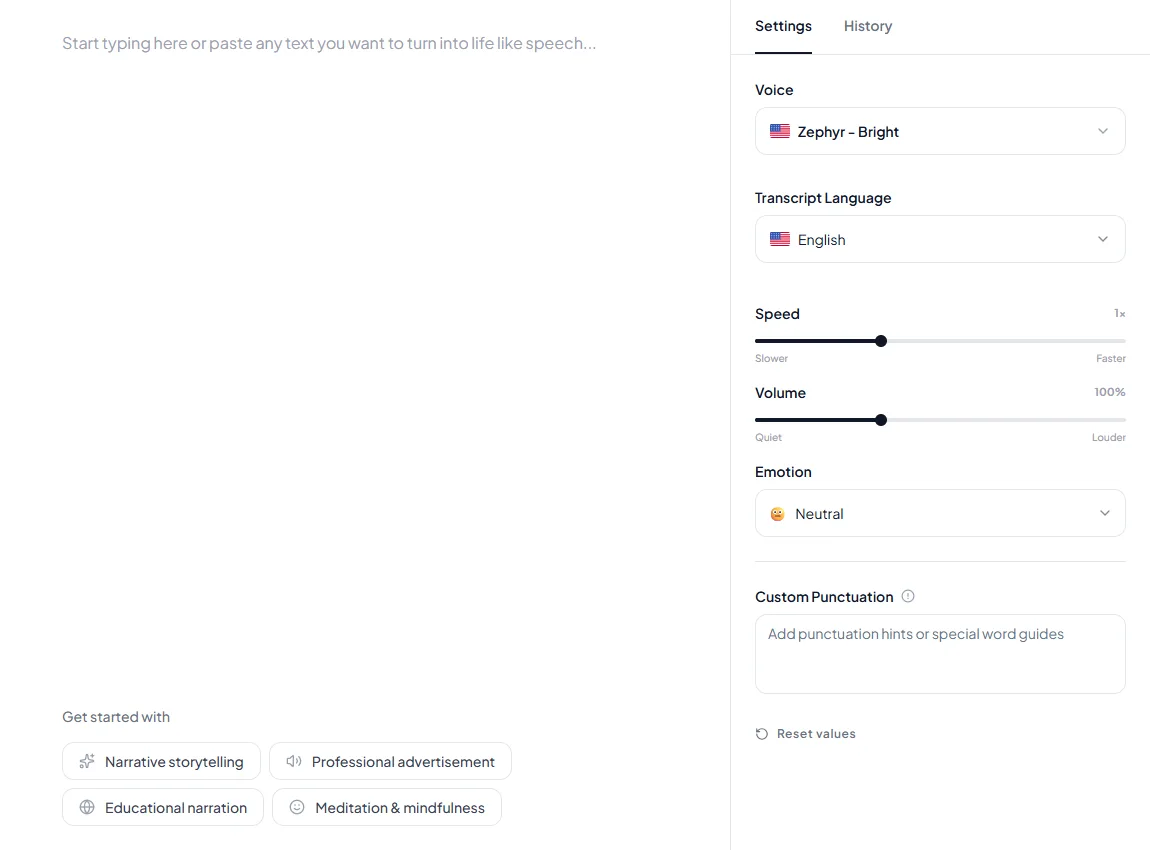
Pick a voice, then set speed, volume and emotion on the right.
- 3
Generate and download
Generate the audio and download it to use in your video, course or podcast.
Why use Kveeky for Australian English text to speech
-
Pick the voice that fits
Listen to the Australian English samples on this page, then choose the voice that suits your script.
-
Download the audio
Download your audio and use it in a video, a course or a podcast.
-
Free to start
The free plan gives you 500 credits a month (about 40 seconds) and needs no credit card.
Frequently Asked Questions
Australian English text to speech turns written Australian English text into spoken audio. You paste your script, choose a voice and download the audio file.
Paste your text, choose a Australian English voice, generate the audio and download it. Sign-up is free and needs no credit card.
You can start free. The free plan includes 500 credits a month, about 40 seconds of audio, with no credit card. Paid plans add more credits; see the pricing page.
Yes. Generate your script, then download the audio to use in your video, course or podcast.
More languages and tools
Try Australian English text to speech free
500 credits a month, no credit card.
Start free