AI Image Enhancement Tools for Scriptwriters and Voiceover Creators

AI image enhancement tools upscale blurry images, remove backgrounds, restore old photos and colorize black-and-white pictures in a few clicks. For creators who make voiceover-led videos, they fix the visual side of the job: sharper thumbnails, cleaner product shots and usable archive photos to sit under your narration.
Last updated: October 6, 2026. Tool features and free plans were checked on each vendor's own site on that date.
This guide is for YouTubers, faceless channel owners, educators and scriptwriters who already handle the words and voice, and now need visuals that match. It explains what these tools do, compares Snapcorn with 2 other options, and shows where image work fits in a script-to-video workflow.
Key Takeaways
- What they do: upscale low-resolution images, remove backgrounds, restore damaged photos and add color to black-and-white pictures.
- Snapcorn bundles 5 tools (background remover, upscaler, colorizer, restoration and text to image) with a free plan of 40 credits a month (snapcorn.com, retrieved 2026-10-06).
- Let's Enhance gives 10 free credits at sign-up, and ImgUpscaler offers free single-image upscaling at 2x or 4x (vendor sites, retrieved 2026-10-06).
- Do the voiceover first, then the visuals. The audio sets the timing, so you know exactly how many images each section needs.
- Check rights and privacy. Enhancing an image does not change who owns it, and you should read each tool's privacy policy before uploading client files.
On this page: What they do · Why it matters · Tools compared · Snapcorn · Workflow · Rights and privacy · FAQ
What are AI image enhancement tools?
AI image enhancement tools use trained models to improve a picture automatically. You upload an image, pick a task, and download the result. No design skills are needed.
The most common tasks are:
- Upscaling: enlarge a small or blurry image so it stays sharp on a 1080p or 4K video.
- Background removal: cut out a person or product for a thumbnail or a clean overlay.
- Restoration: repair scratches, fading and damage on old photos.
- Colorization: add color to black-and-white images.
- Text to image: generate a new illustration from a written prompt.
Why do voiceover creators need image enhancement?
In a voiceover-led video, the voice carries the story and the images carry the attention. Weak visuals pull focus from good narration.
- Thumbnails are the first thing a viewer sees, before they hear a single word.
- Faceless channels rely on stills, B-roll and graphics under the voice, so every image is on screen for several seconds.
- Documentary and history videos often use old or low-resolution photos that need restoring before they look right on a modern screen.
- Product and tutorial videos need clean product shots and readable screenshots.
AI image enhancement tools compared
These 3 tools were chosen because each publishes its features and free plan on its own site. Details were checked on October 6, 2026 and change often.
| Tool | Main features | Free plan | Paid from | Best for |
|---|---|---|---|---|
| Snapcorn | Background remover, upscaler, colorizer, restoration, text to image | 40 credits a month, all 5 tools, login required | $20/month Pro (500 credits) | Creators who want several image tools in one place |
| Let's Enhance | Upscaling and image enhancement | 10 credits at sign-up, no card, watermarked, up to 8 megapixels | $9/month billed yearly, $12 billed monthly (100 credits) | Upscaling product shots and artwork |
| ImgUpscaler | 2x and 4x upscaling, image enhancer | Free single-image upscaling | Not checked | Quick, one-off upscales |
Where each one wins: Snapcorn covers the most tasks in one account. Let's Enhance is focused on upscaling quality, and ImgUpscaler is the quickest route to a single free upscale. General design tools such as Canva and Adobe Express also include image features, so check them if you already pay for one.
What is Snapcorn?
Snapcorn is a browser-based set of AI image tools. Its site lists 5 tools: a background remover, an image upscaler, an image colorizer, image restoration and text-to-image generation.
The free plan gives 40 credits a month with access to all 5 tools. Paid plans are Pro at $20/month (500 credits) and Premium at $50/month (1,500 credits), with yearly options. You sign in through the Snapcorn app to use it.
Snapcorn states that images are "processed securely and never stored". If you handle client or private images, read its privacy policy to confirm this covers your case.
Where Snapcorn fits for voiceover creators: restoring old photos for narrated stories and cutting out products for thumbnails. It also helps upscale small images so they hold up on a full-screen video.
How image enhancement fits a voiceover video workflow
The voiceover sets the pace of the video. Do it first, then prepare images to match it.
- Write the script. Keep sentences short and mark where each new visual should appear. Our guide to scriptwriting for AI voiceovers covers the techniques.
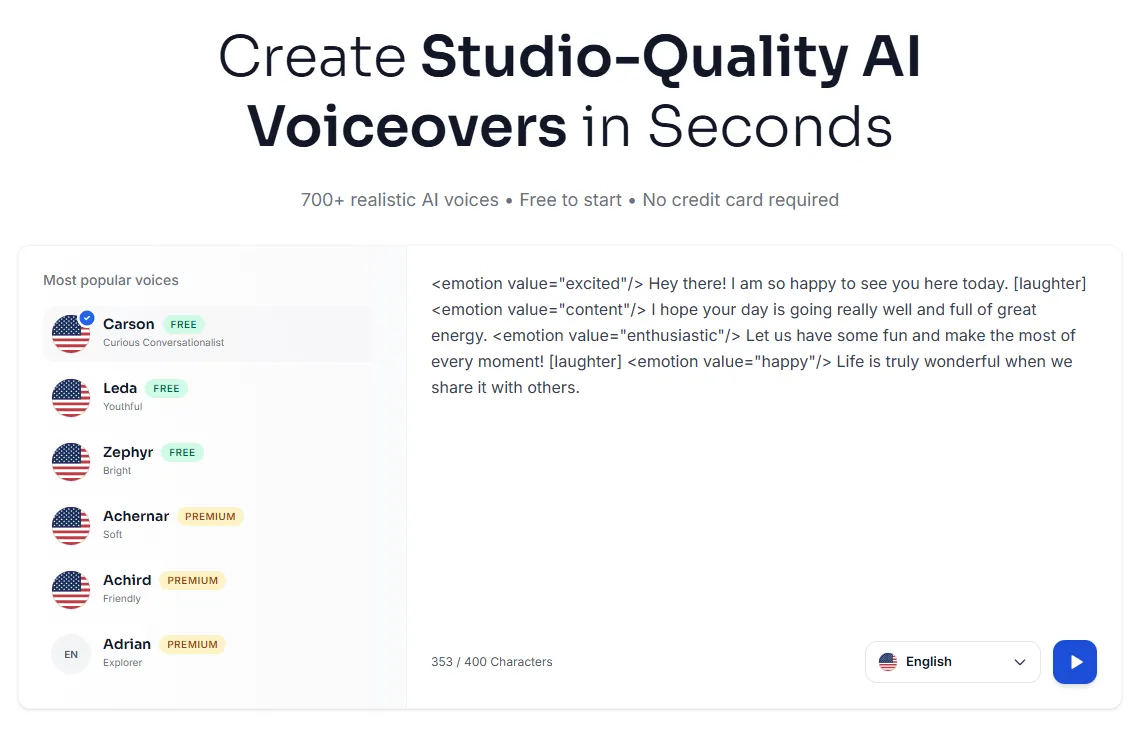
- Generate the voiceover. In Kveeky, paste the script, pick one of 700+ voices, set tone, pitch and speed, and download an MP3 or WAV.
- List the images you need. Use the audio length of each section to decide how many images it needs.
- Enhance the images. Upscale small images, restore old photos and remove backgrounds for thumbnails.
- Edit the video. Place the voiceover on the timeline first, then line up the images with it.
- Make the thumbnail last, using your best enhanced image and a short title.
For a full timeline of this process, see the script-to-upload workflow for AI voiceover videos. If you make many videos at once, our guide to batch-producing 30 videos in a weekend shows how to prepare voiceovers and visuals in batches.
Example: a narrated family history video
You have 20 old family photos and a 3-minute story. Write the script, generate a calm narration, then restore and colorize each photo. Place each photo on the timeline under the part of the story it belongs to. The result is a narrated video your family can watch and share.
Rights and privacy checks
Image tools make pictures look better. They do not change who owns them.
- Only enhance images you have the right to use: your own photos, licensed stock, or public-domain archives.
- Check commercial terms for AI-generated images before using them in sponsored or monetized videos.
- Read the privacy policy before uploading client photos or unreleased products.
- Label restored or colorized archive photos in documentary videos, so viewers know they were changed.
Frequently asked questions
What is the best AI image enhancement tool for YouTube thumbnails?
For thumbnails, you need background removal and upscaling. Snapcorn offers both on its free plan of 40 credits a month. Let's Enhance is a good pick if you only need high-quality upscaling.
Is Snapcorn free?
Snapcorn has a free plan with 40 credits a month and access to all 5 tools. Paid plans start at $20/month for 500 credits (snapcorn.com, retrieved 2026-10-06).
Can AI restore old photos for a documentary video?
Yes. Restoration tools repair scratches and fading, and colorizers add color to black-and-white images. Tell viewers when archive photos have been restored or colorized.
Should I make the voiceover or the visuals first?
Make the voiceover first. The audio sets the timing of each section, so you know how many images you need and how long each one stays on screen.
Can I use Snapcorn with Kveeky?
Yes. They do different jobs. Use Kveeky to turn your script into a voiceover file, and use an image tool such as Snapcorn to prepare the visuals. Then combine both in your video editor.
How we checked this guide
This guide is written by Ankit Agarwal for the Kveeky team. Disclosure: Kveeky makes an AI voice generator. We do not make or sell any of the image tools listed.
- Tool features, free plans and prices come from each vendor's own site, retrieved 2026-10-06: Snapcorn, Let's Enhance pricing and ImgUpscaler.
- No Kveeky usage data is used in this guide.
Next step: pick one video you have planned, generate its voiceover, and list the images each section needs before you open an image tool. If your videos tell real stories, see how creators use AI voiceover for documentary videos.