TL;DR
- This article covers the exciting world of instant voice cloning, focusing on free tools that let you replicate voices quickly and easily. We'll explore different options, their features, and how video producers can leverage this technology to enhance their content creation workflow without breaking the bank.
On this page
Instant voice cloning copies a voice from a short sample of about 6 seconds to 2 minutes, with no training on that voice. You upload a clean recording, confirm you have consent, and the clone can read new text right away. ElevenLabs, Fish Audio, NoteGPT and OpenVoice offer it, and Kveeky offers cloning as a plan feature (see its pricing page).
Last updated: October 6, 2026. Audio requirements, free limits and prices were checked on each vendor's own page on that date.
This guide focuses on speed: how instant cloning works, how much audio each tool asks for, and where the quality limits are. If your main question is cost, our guide to free voice cloning options compares free plans and licenses in detail.
- Instant cloning skips training. A large pre-trained model imitates your sample directly, so a clone is ready in one step.
- Sample lengths differ a lot. Coqui XTTS-v2 needs a 6-second clip; NoteGPT accepts 10 seconds to 5 minutes; ElevenLabs recommends 1 to 2 minutes.
- More audio is not always better. ElevenLabs says more than 3 minutes yields little improvement. Clean audio matters more.
- Free instant cloning exists, with catches. ElevenLabs' free plan has no cloning; Kveeky cloning depends on the plan (see pricing); XTTS-v2 is non-commercial only.
- Instant clones copy what they hear. A calm sample gives a calm clone, and room echo ends up in every line.
Instant voice cloning copies a voice from a short, clean sample (about 6 seconds to 2 minutes) with no training. Aim for one clean minute in a quiet, soft room, read in the tone you want back, and only clone a voice you have written permission to use. Check Kveeky's pricing page for which plan includes cloning.
Click what matters most. The answers repeat this guide's findings from the vendors' own pages (October 6, 2026).
What is instant voice cloning?
Instant voice cloning creates a usable copy of a voice from a short recording in a single step. It is also called zero-shot cloning, because the model was never trained on that specific voice.
A large speech model has already learned how many voices sound. When you upload your sample, it extracts the features of your voice, such as pitch, tone and accent. It then uses them to speak any text you type. Our explainer on zero-shot voice cloning goes deeper into the models.
Professional cloning is the slower alternative. ElevenLabs asks for at least 30 minutes of audio, recommends 2 to 3 hours, and says fine-tuning usually takes 3 to 6 hours (ElevenLabs PVC docs, retrieved 2026-10-06). Our voice cloning guide compares both types.
Enter the length of your clean sample in seconds. The result uses the audio requirements each vendor publishes, as listed in this guide.
Audio needed for cloning
Most instant cloning tools need between a few seconds and a few minutes of clean speech. Here is what each vendor publishes.
| Tool | Audio it asks for | Source (retrieved 2026-10-06) |
|---|---|---|
| Coqui XTTS-v2 (open source) | "A 6-second audio clip" | Hugging Face model card |
| NoteGPT | 10 seconds to 5 minutes, max 20 MB, one voice only | NoteGPT voice cloning page |
| ElevenLabs Instant Voice Cloning | About 1 to 2 minutes recommended; more than 3 minutes adds little | ElevenLabs docs |
| ElevenLabs Professional (for comparison) | 30 minutes minimum, 2 to 3 hours recommended | ElevenLabs docs |
ElevenLabs adds a useful warning. It has seen good clones from 30 seconds of audio and failures from 10 minutes, because the AI mimics everything in the sample (ElevenLabs IVC docs, retrieved 2026-10-06). So aim for 1 clean minute before you aim for more.
Tools compared
Prices and limits were checked on each vendor's own page on October 6, 2026.
| Tool | Free option | Paid instant cloning from | Commercial use | Best for |
|---|---|---|---|---|
| Kveeky | 500 credits/month (about 40 seconds), no card; cloning: see the pricing page | $9/month, or $7.50/month billed yearly | Included on every paid plan | Creators who want a clone plus 700+ stock voices in one editor |
| ElevenLabs | No cloning on the free plan | $6/month Starter, with a first-month discount | From Starter | Expressive clones and many languages |
| Fish Audio | 8,000 credits/month (up to about 7 min); voice cloning listed | $11/month Plus | Check its plan page and terms | Character and community voices |
| NoteGPT | Free version with limited usage | See NoteGPT's site | Governed by its Voice Model Terms | Quick one-off clones from a short clip |
| OpenVoice (open source) | Free, self-hosted | None | MIT license: commercial and research use | Developers; cross-lingual cloning |
| Coqui XTTS-v2 (open source) | Free, self-hosted | None | Non-commercial only | Experiments in 17 languages |
Where each one wins:
- ElevenLabs has the most detailed cloning guidance and requires you to confirm consent before saving a clone. Our ElevenLabs review covers the rest of the product.
- OpenVoice supports zero-shot cross-lingual cloning. Its V2 natively supports English, Spanish, French, Chinese, Japanese and Korean (OpenVoice on GitHub, retrieved 2026-10-06).
- XTTS-v2 works from the shortest sample, but its Coqui Public Model License "allows only non-commercial use" of the model and its outputs (license, retrieved 2026-10-06).
- Kveeky offers voice cloning as a plan feature (see the pricing page for which plan), next to a choice of 6 emotions and audio download.
Is NoteGPT cloning free?
Partly. NoteGPT says it offers a free version of its AI voice cloning with limited usage. Your sample must be 10 seconds to 5 minutes long, under 20 MB, with one voice only, clear audio and minimal noise (NoteGPT, retrieved 2026-10-06).
It accepts MP3, WAV and M4A files and supports multiple languages and accents. Using the feature means agreeing to its Voice Model Terms, so read those before you clone anything for commercial work. NoteGPT's page does not list exact free limits, so check your account after signing in.
Where instant clones fall short
Instant clones are good at timbre, accent and general tone. They are weaker at anything the sample didn't contain.
- Emotion range. If you read the sample calmly, the clone struggles to sound excited or angry.
- Speaking style. A fast, energetic sample produces a fast, energetic clone. ElevenLabs advises a consistent performance and warns against very dynamic audio with wide swings in pitch and volume.
- Noise and room sound. Echo and hum get copied into every generated line.
- Long scripts. For an audiobook or a long course, a professional clone trained on hours of audio is the safer choice.
Rule of thumb: use instant cloning for social clips, drafts, quick fixes and testing. Move to professional cloning once a voice will carry long paid work.
Tick each step. A good sample matters more than the tool.
0 of 6 done
Recording a good sample
The sample decides the clone. Follow these steps for a clean one.

- Pick a soft room. A closet full of clothes, or a room with curtains and a rug, cuts echo.
- Silence the room. Turn off fans, air conditioning and notifications.
- Keep the mic about 15 cm (6 inches) away. Closer gives popping sounds; farther picks up the room.
- Read varied text for 1 to 2 minutes. A short news paragraph or story covers more sounds than counting numbers.
- Use the tone you want back. Read the way you want the clone to sound in your videos.
- Check the levels. ElevenLabs suggests average loudness of -23 to -18 dB RMS, with a true peak of -3 dB. Export MP3 at 128 kbps or higher.
- Trim, don't over-process. Remove coughs and long pauses, but skip heavy EQ, compression or noise effects.
Read this aloud at a calm pace, in the tone you want the clone to use. It mixes short and long sentences, a question and a list so the model hears more sounds than a counting exercise would give it.
Show me: a 90-second recording plan
- 0 to 10 s: record the empty room, then trim it. If you hear hiss or hum, fix the room before you continue.
- 10 to 100 s: read the sample script once at a calm, conversational pace.
- After recording: listen on headphones. Re-record if you hear echo, mouth clicks or a rushed pace.

Why a clone sounds wrong
Most problems trace back to the sample, not the tool.
| Problem | Likely cause | Fix |
|---|---|---|
| Metallic or echoey | Room reverb in the sample | Re-record in a softer room |
| Hiss or hum on every line | Background noise | Turn off fans and re-record; clean the file lightly |
| Too fast or jittery | Sample read too quickly | Record at a calm, conversational pace |
| Muddy or boomy | Heavy EQ or compression on the sample | Upload the raw, clean recording |
| Wrong accent on some words | Text in a different language from the sample | Test each language separately; some models handle cross-lingual cloning better |
Before you clone anyone else's voice, get written permission. Our guide is voice cloning legal? explains why, with the laws behind it.
Frequently asked questions
How much audio do you need for instant voice cloning?
It depends on the tool. Coqui XTTS-v2 works from a 6-second clip, NoteGPT accepts 10 seconds to 5 minutes, and ElevenLabs recommends about 1 to 2 minutes. Clean audio matters more than length.
Is there a free instant voice cloning tool?
Yes, in some tools. Fish Audio lists voice cloning on its free plan, NoteGPT has a limited free version, and Kveeky cloning depends on the plan (see its pricing page). OpenVoice is free and open source under the MIT license.
Is NoteGPT voice cloning free?
NoteGPT offers a free version with limited usage. Samples must be 10 seconds to 5 minutes, under 20 MB and contain one voice. Use is governed by its Voice Model Terms.
What is the difference between instant and professional voice cloning?
Instant cloning imitates a short sample with a pre-trained model, so it is ready in one step. Professional cloning trains on 30 minutes to 3 hours of audio and gives a closer match for long work.
Does ElevenLabs offer instant voice cloning for free?
No. ElevenLabs' free plan doesn't include voice cloning. Instant Voice Cloning starts on the Starter plan at $6/month, which also adds a commercial license.
Can an instant clone speak other languages?
Often, yes. OpenVoice supports zero-shot cross-lingual cloning, and many commercial tools let a clone read other languages. Accents can carry over, so test each language with a native listener.
More questions about instant voice cloning
What is the shortest sample I can use for a clone?
Coqui XTTS-v2 asks for a 6-second clip and NoteGPT accepts from 10 seconds, but ElevenLabs recommends about 1 to 2 minutes. Clean audio beats length.
Can I clone a friend's or a celebrity's voice?
Only with written permission from the speaker. Cloning someone else without consent can create legal and ethical problems; read is voice cloning legal? and the ethics guide first.
Can I use a cloned voice commercially?
It depends on the tool and plan. Coqui XTTS-v2 is non-commercial only, OpenVoice is MIT-licensed, ElevenLabs includes a commercial license from Starter, and every paid Kveeky plan includes commercial usage rights. Read the terms before you publish.
Is instant cloning good enough for an audiobook?
For long paid work, a professional clone trained on hours of audio is the safer choice. Use instant cloning for social clips, drafts and quick fixes.
Do I need a clone, or is a stock voice enough?
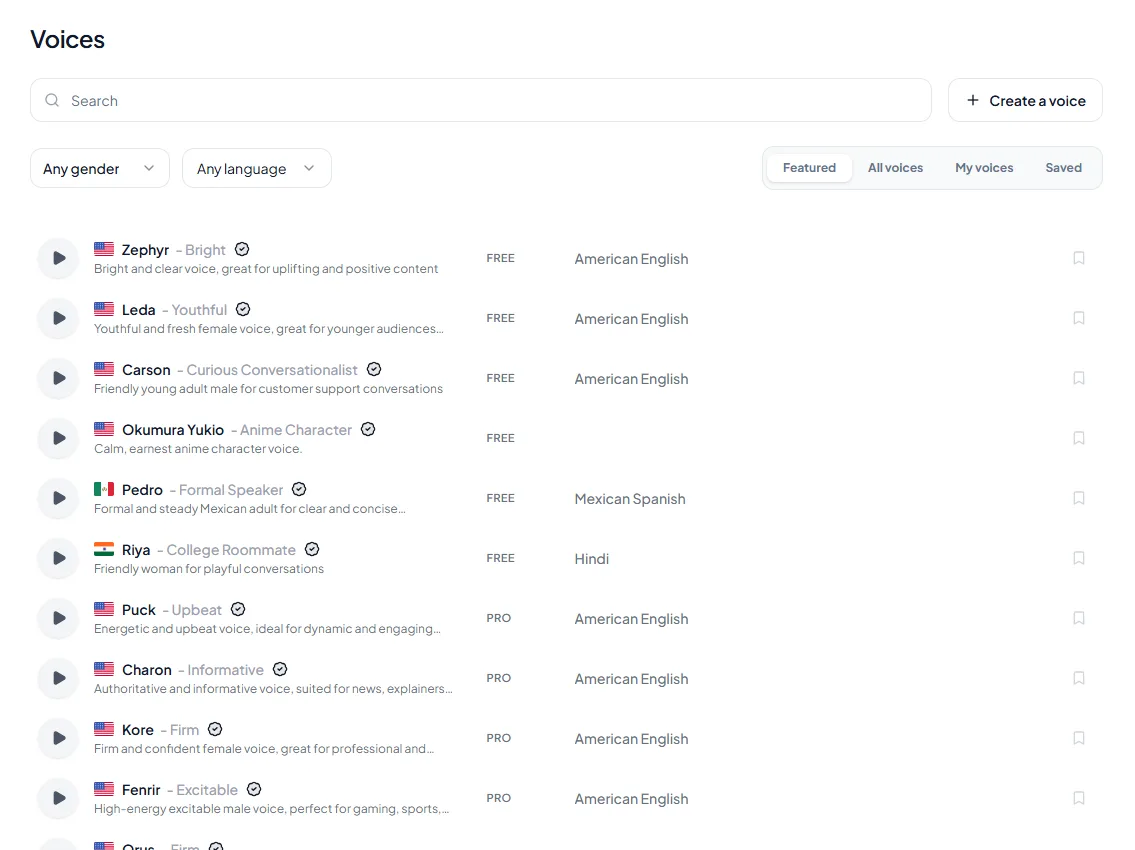
If you do not need your own voice, a stock voice is faster and avoids consent questions. Our guide to text to speech vs voice cloning helps you decide, and you can browse AI voices to compare.
How we checked this guide
This guide is written by Deepak Gupta for the Kveeky team. Disclosure: Kveeky makes an AI voice generator. It is one of the tools compared here.
- Audio requirements come from each vendor's own page, retrieved October 6, 2026: ElevenLabs IVC, ElevenLabs PVC, NoteGPT and XTTS-v2.
- Prices and plan limits come from Kveeky, ElevenLabs and Fish Audio, retrieved October 6, 2026. Licenses come from OpenVoice and the XTTS-v2 license.
- No Kveeky usage data is used in this guide. We did not run our own timed tests.
Next step: record one clean minute of your own voice using the 7 steps above, then compare which plan gives you enough clones on the Kveeky pricing page.
Turn your script into a voiceover
Paste your text, pick a voice and download the audio. Free to start, no credit card.