How to Use TikTok Text-to-Speech Generator: Complete Guide (2026)

Here's how to use text to speech on TikTok: tap +, record or upload a video, tap Text and type your words. Then tap (or press and hold) the text box and choose Text to speech. TikTok reads the text aloud in a built-in voice, and you pick a voice from the options that appear at the bottom of the screen.
Last updated: October 7, 2026. The steps follow TikTok's Help Center pages, which we read in full on that date.
This guide covers TikTok's built-in TTS from start to finish. You'll learn to add it, change the voice, use it more than once and fix it when it won't play. At the end, we show how to use a custom AI voice when the built-in voices aren't enough.
Key Takeaways
- TikTok TTS is free and built into the editor. Add text, tap it, then choose Text to speech.
- You pick the voice from the text-to-speech menu. Tap or press and hold the text box; on some app versions the option is labelled Change voice. Menus differ by app version and region, so update TikTok if options are missing.
- Each text box is read separately. For several voice clips in one video, add several text boxes and set when each appears.
- TikTok doesn't publish a character limit for text to speech in its Help Center. Short text boxes read better anyway.
- For a voice nobody else uses, generate audio in an external AI voice generator, then add it to your video in an editor before you upload.
- Label realistic AI voices. TikTok requires creators to label AI-generated content with realistic audio, so turn on the AI-generated content setting before you post.
On this page: Step by step · Change the voice · Multiple clips · Character limit · Which voice is it · Not working · Built-in vs external · Custom voice · Tips · Voiceover answers · FAQ
How to use text to speech on TikTok, step by step
TikTok's Help Center describes text to speech as a way to have the text in your video read aloud. The steps are the same on iPhone and Android.
- Open TikTok and tap the + button at the bottom of the screen.
- Record or upload your video.
- Tap Text on the side panel, then type the words you want read aloud.
- Tap Done, then tap the text box you just added.
- Choose Text to speech. TikTok reads your text aloud in a built-in voice.
- Set the timing. Adjust how long the text box shows so the voice lines up with your clips.
- Tap Next and post when the timing matches your video.
Plan your text before you film. It's much easier to time a voice line to a clip you already know.
How to change the text-to-speech voice on TikTok
Tap (or press and hold) the text box that already has text to speech, then choose Text to speech or Change voice, whichever your app shows, and pick a different voice. Listen to the line again before you move on.
The voices you see depend on your app version and account. If the list looks short, update TikTok from the App Store or Google Play and open the editor again.
How to add multiple text-to-speech clips on TikTok
TikTok reads each text box separately. To use text to speech more than once in a video, add one text box per line.
- Add the first text box and turn on Text to speech.
- Add a second text box with the next line, then turn on Text to speech for it too.
- Set the duration of each box so the lines play one after another, not on top of each other.
- Preview the whole video and nudge the timings until the voice matches the cuts.
You can choose a different voice for each box. That works well for dialogue between 2 characters.
Is there a TikTok text-to-speech character limit?
TikTok's Help Center doesn't publish a specific character limit for text to speech. In practice, the limit is the text box: long blocks of text crowd the screen and get read in one long breath.
Keep each box to one short sentence, then add more boxes for the next lines. Viewers can read along, and the pacing sounds more natural.
What is the TikTok text-to-speech voice?
It's a computer-generated voice that TikTok provides inside the app. TikTok doesn't say in its Help Center which speech technology powers it.
So, is TikTok text to speech generative AI? It's synthetic speech made by software from your text, which is what AI text-to-speech tools do. TikTok doesn't describe the model behind it, so we can't say more than that. The best-known female voice does trace back to a real voice actor; see who the TikTok girl voice is below.
TikTok TTS not working: quick fixes
Most text-to-speech problems come from the app version or the text itself. Try these in order:
- Update TikTok and restart the app.
- Check that you tapped the text box itself, not the empty screen around it.
- Shorten the text. Very long text boxes are harder to time and preview.
- Check your phone's volume and silent mode before you assume the voice is missing.
- Re-add the text box if the voice stopped after you edited the words.
For problems with other text-to-speech tools, our text-to-speech troubleshooting guide covers browser and device fixes.
TikTok built-in TTS vs an external TTS generator
TikTok's built-in voices are quick and free. An external generator gives you more voices, more languages and control over delivery, at the cost of a few extra steps.
| What you need | TikTok built-in TTS | External AI voice generator |
|---|---|---|
| Speed | Fastest, inside the TikTok editor | Extra steps: generate, download, add in an editor |
| Cost | Free | Free plans with monthly limits, then paid plans |
| Voice choice | The voices TikTok offers in your app | Hundreds of voices, depending on the tool |
| Delivery control | Little control over speed or emotion | Speed, pitch, pauses and emotion on most tools |
| Reuse on other apps | Stays inside the TikTok video | An MP3 or WAV file you can use on Reels and Shorts too |
If you want to compare external tools by price, free plan and voice cloning, read our best TikTok TTS generators comparison. This guide stays on the how-to.
How to add a custom AI voice to a TikTok video
Use this workflow when you want a voice your audience hasn't heard on every other video.
- Write the script. Put the hook in the first sentence and keep the whole script short.
- Generate the voice. Paste the script into an AI voice generator, pick a voice, and set speed and emotion.
- Listen once and fix problem words. Re-spell names phonetically, and add commas for pauses.
- Download the audio as an MP3 or WAV file.
- Combine voice and video in an editor such as CapCut, and cut the clips to the voice.
- Upload to TikTok and add on-screen text so people can follow with the sound off.
- Label it if it sounds real. TikTok requires a label on AI-generated content with realistic audio. Tap Next, then More options, and turn on the AI-generated content setting (TikTok Help Center, About AI-generated content, retrieved 2026-10-07).
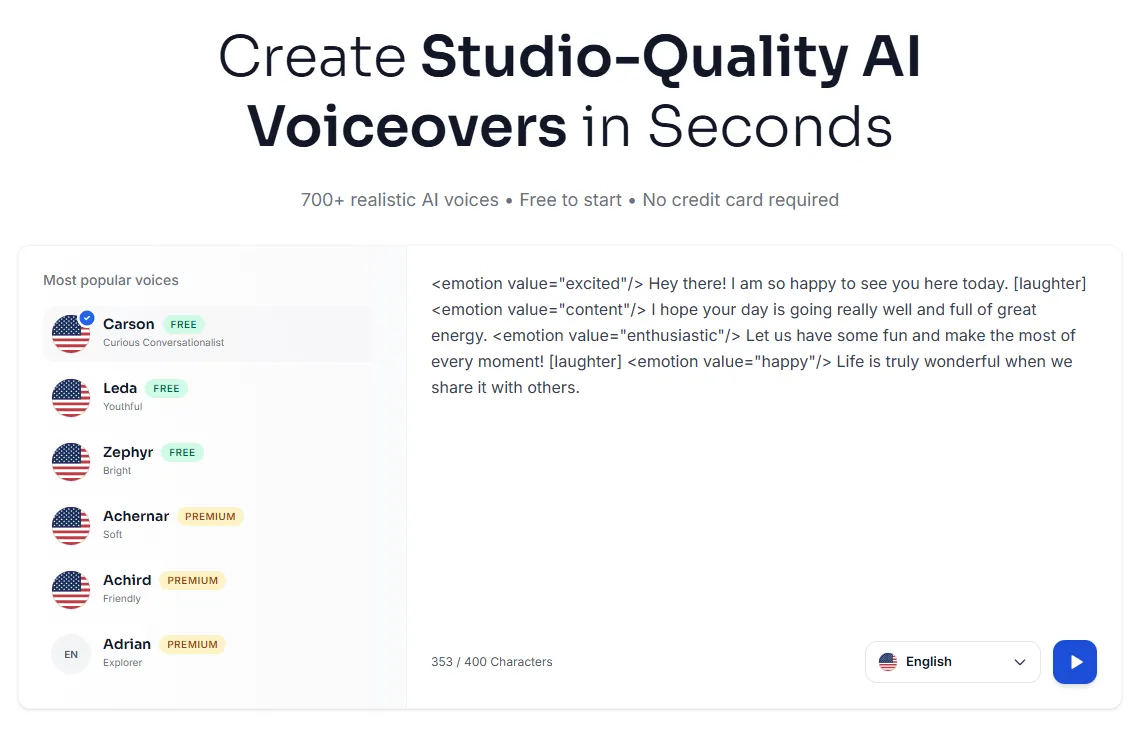
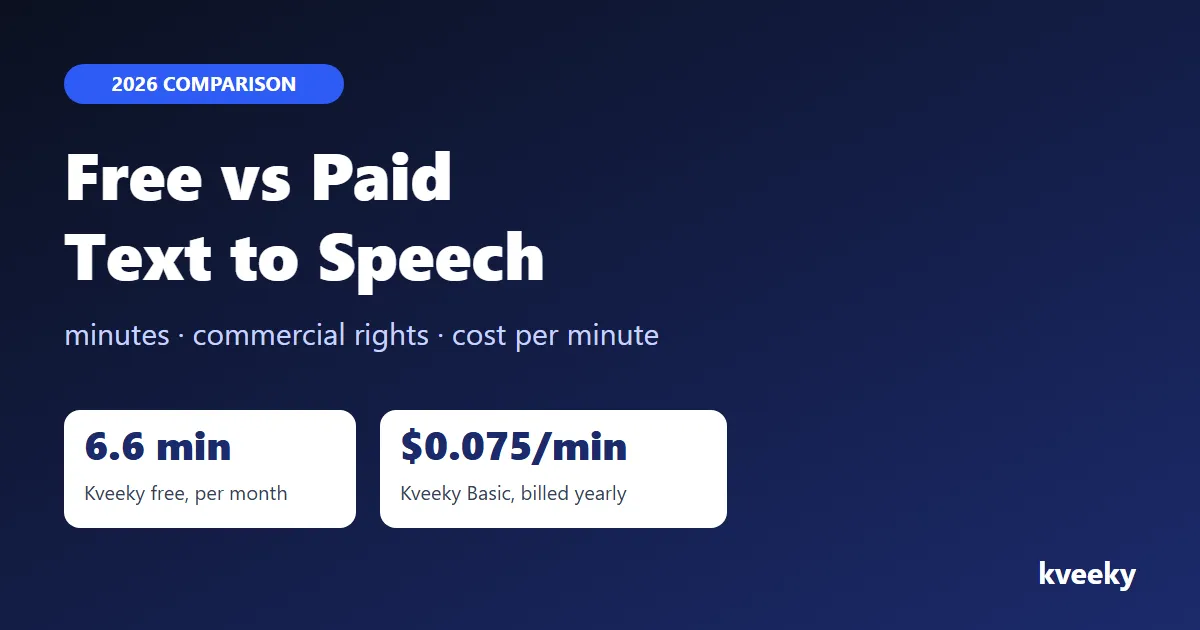
In Kveeky, step 2 means choosing from 700+ voices and adding tags such as <emotion value="excited"/> or [laughter] where the line needs energy. The free plan gives you 500 credits a month (about 6.6 minutes) with no credit card. For fan edits, our character and anime AI voices are a good place to start.
Tips for TikTok TTS videos people finish
- Start the voice in the first second. A silent opening gives viewers a reason to scroll.
- Match the voice to the topic. A cheerful voice on a serious story feels wrong.
- One idea per text box. Short lines are easier to read and easier to time.
- Keep music under the voice. If you can't understand a word, turn the music down.
- Always add on-screen text. Many people watch with the sound off.
- Use one voice per series. The same voice across a series makes your videos easy to recognize.
Posting the same idea as a YouTube Short too? Our guide to the best free AI voiceover tools for YouTube covers longer narration.
TikTok voiceover: quick answers to common questions
Text to speech is one way to add a voice. Many people also want to record their own voiceover, add effects or mix in music. Here's what TikTok's Help Center says, and what it doesn't.
How do I add a voiceover to my TikTok video?
Record or upload your video, then tap Edit on the side panel to open the editing screen. Tap Voice on the side panel, tap Record at the bottom, then tap the Record button and speak over your clip. Tap Done to save the voiceover, pick a voice effect if you want one, and tap Save at the top (TikTok Help Center, Editing TikTok videos and photos, retrieved 2026-10-07). This is the "voiceover effect" people mean: your own narration over the clip, not a typed voice.
Are there voice effects for TikTok voiceovers, and how do voice changers work?
Yes. On the editing screen, tap Voice on the side panel, tap any effect to preview it, then tap Save. You can also add an effect right after you record a voiceover. TikTok's voice effects change a voice you recorded; to turn typed words into speech, use the Text-to-speech option instead.
Can I change the voice in my TikTok voiceover?
Yes, before you post. Open Voice again to record a new take or pick a different effect, or change the voice of a text-to-speech line as shown in how to change the text-to-speech voice. To sound like a different person entirely, generate the lines in an external AI voice generator and add the file in an editor before you upload.
Can I edit my TikTok voiceover after posting?
Not in any way TikTok's Help Center describes. Its pages cover editing before you post and adding alt text to posted photos, but not replacing the audio on a posted video. Save the video as a draft first if you're unsure, or delete and repost; deleted posts stay in Recently deleted for up to 30 days (TikTok Help Center, Editing, posting, and deleting, retrieved 2026-10-07). A repost is a new post, so it starts again with no views or comments.
Can I use music in my TikTok voiceover?
Yes. On the editing screen, tap Sound, then Add sound (or Replace), and tap the sound clip to edit it; TikTok says you can add one sound to a post (TikTok Help Center, Editing TikTok videos and photos, retrieved 2026-10-07). Be careful with the Add sound button on the recording screen: TikTok says a music change there replaces all previous background music and voices. Business Accounts can only use music licensed for commercial use (TikTok Help Center, Sounds, retrieved 2026-10-07).
How long can my TikTok voiceover be?
TikTok's Help Center doesn't list a separate time limit for voiceovers. You record over your video, so the video's length is the practical limit, and you select a maximum length on the recording screen before you film (TikTok Help Center, Making a post, retrieved 2026-10-07). We don't quote a number, because the pages we read on October 7, 2026 don't state one.
What's the best way to script a TikTok voiceover?
Put the hook in the first sentence, give each line one idea and end with a single call to action. Write the way you talk, with short sentences and contractions, then read it out loud against the clip once and cut anything you stumble on. Our guide to writing AI voiceover scripts goes deeper on writing for the ear.
What equipment do I need for high-quality TikTok voiceovers?
A phone and a quiet room are enough to start, and a clip-on or USB microphone is the first useful upgrade. Record in a room with soft furnishings, keep the mic close and turn off fans. If your recording has no sound, TikTok suggests checking silent mode and volume and making sure earphones or Bluetooth devices work (TikTok Help Center, Sounds, retrieved 2026-10-07). With an AI voice, you don't need a microphone at all.
Who is the TikTok girl voice?
TikTok's best-known female text-to-speech voice, often called "Jessie", is voiced by Canadian radio host Kat Callaghan, who confirmed it in an October 2022 TikTok post (Good Morning America, Meet the woman behind TikTok's famous 'Jessie' voice, November 9, 2022, retrieved 2026-10-07). An earlier female voice was replaced in May 2021, weeks after voice actor Bev Standing sued TikTok's parent company over the use of her recordings (CBC News, May 26, 2021, retrieved 2026-10-07). The court dismissed that case in September 2021 after the parties reported a settlement (CourtListener, 7:21-cv-04033, retrieved 2026-10-07).
What AI voice is everyone using on TikTok, and how do you get it?
Usually it's one of TikTok's own text-to-speech voices, which you get free by adding text, tapping it and selecting Text-to-speech, as shown in the steps above. TikTok doesn't say which model powers them. Voices that aren't in the app come from external AI voice generators, and TikTok requires a label on realistic AI-generated audio, so turn on the AI-generated content setting before you post.
Frequently asked questions
Is TikTok text to speech free?
Yes. Text to speech is built into TikTok's video editor and costs nothing. You add text, tap it, and choose Text to speech.
How do I change the text-to-speech voice on TikTok?
Tap or press and hold the text box that already uses text to speech, choose Text to speech or Change voice (the label depends on your app version), then pick another voice. If you see few voices or no option, update the app and reopen the editor.
Can I use more than one text-to-speech voice in a TikTok video?
Yes. Add one text box per line, turn on Text to speech for each, and choose a different voice for each box. Then set the timing so the lines play in order.
Is there a character limit for TikTok text to speech?
TikTok's Help Center doesn't publish a text-to-speech character limit. Keep each text box to one short sentence and add more boxes for longer scripts.
Is TikTok text to speech generative AI?
It's synthetic speech that software generates from your text. TikTok doesn't say in its Help Center which model or technology powers its voices.
How do I add a voiceover to a TikTok video?
Open the editing screen, tap Voice on the side panel, tap Record and record your narration over the clip. Tap Done, add a voice effect if you want one, then tap Save. For a typed voice instead, add text, tap it and select Text-to-speech.
Can I use my own AI voice on TikTok instead of the built-in ones?
Yes. Generate the voiceover in an external tool, download it as MP3 or WAV, combine it with your video in an editor such as CapCut, then upload to TikTok.
How we checked this guide
This guide is written by Ankit Agarwal for the Kveeky team. Disclosure: Kveeky makes an AI voice generator.
- The built-in text-to-speech steps follow the text-to-speech section of TikTok's accessibility help page, read in full on October 7, 2026.
- Voiceover, voice effect, sound and AI-label steps come from the TikTok Help Center pages Editing TikTok videos and photos, Sounds, Making a post, Editing, posting, and deleting, and About AI-generated content, all retrieved 2026-10-07. TikTok's help site is geo-blocked in some regions, so the links may not open everywhere.
- The TikTok voice history comes from Good Morning America (November 9, 2022), CBC News (May 26, 2021) and the CourtListener docket for Standing v. Bytedance E-Commerce, Inc., 7:21-cv-04033 (S.D.N.Y.), all retrieved 2026-10-07.
- TikTok changes its editor often. If a button has moved, look for the same option in the text menu.
- Kveeky plan details come from kveeky.com/pricing, retrieved October 7, 2026.
- No Kveeky usage data is used in this guide.
Ready for a voice of your own? Paste your next TikTok script into Kveeky's free plan, then use our guide to AI voiceovers for social media videos to fit it to Reels and Shorts too. For the wider workflow, see our hub on AI voiceover for video producers.