TL;DR
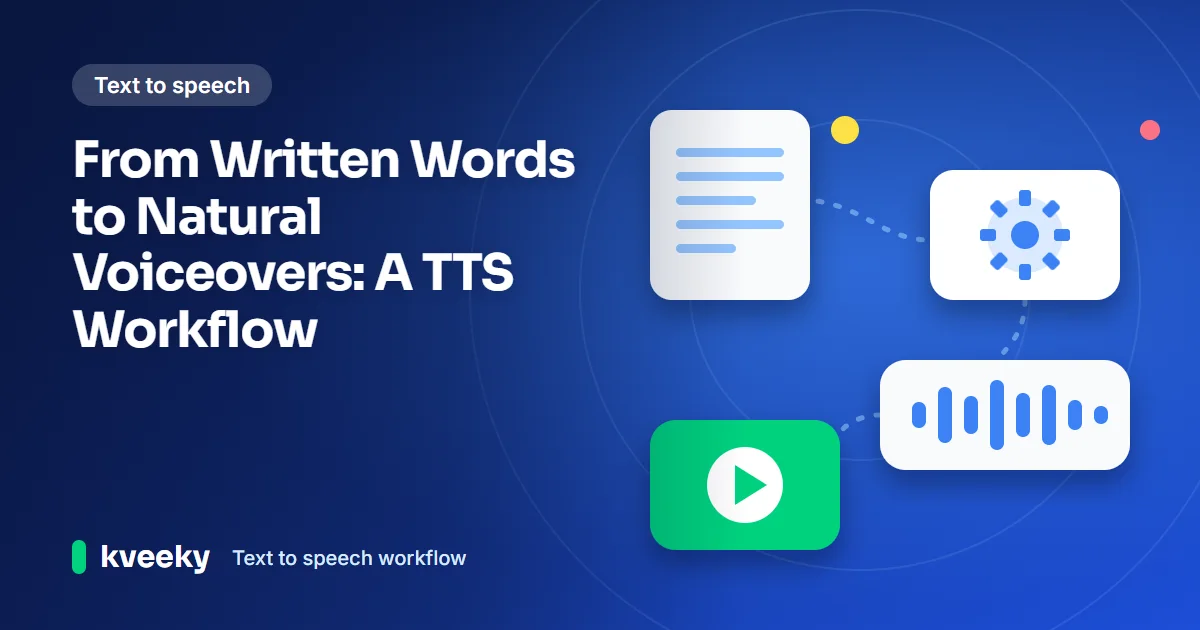
- A finished script is not a finished voiceover. Learn how to write for the ear, choose a voice, generate in sections and edit the audio for natural results.
On this page
A finished script is not automatically a finished voiceover.
Writing that flows smoothly when you read it can sound choppy or stilted when spoken aloud. The perfect blog post paragraph might be too long to work as spoken word. A comma means someone listening to the audio has to pause for an unnaturally long time. A brand name probably isn’t pronounced the way you expect when you hear it out loud the first time.
That’s why the best AI voice creation doesn’t begin with the sounds you can make. It starts before the audio exists. The software is important, but so is the script. The speaker is vital, but so is the pitch of their voice and how fast they are speaking. The waveform is nothing without the final edit.
To turn a script into a natural voiceover: rewrite it for the ear with short sentences and numbers spelled out, pick a voice that fits the listener, generate two or three paragraphs at a time, then edit the audio. Trim dead air but keep the breathing pauses, and keep music well under the voice.
Write for the ear
The most immediately useful advice when spoken content is the goal? Stop thinking of your work as a transcript of a post.
Written content is full of long sentences, restated context, parenthetical comments, and words that are easy to scan and weary to hear. Spoken content doesn’t offer the luxury of backing up to the prior sentence. You only get to listen once.
Read the script out loud before putting it into a generator. Wherever you run out of breath, stumble over a phrase, or mentally rush to the next idea, make a change.
Shorter sentences usually help. So do clear transitions. Instead of loading one sentence with three ideas, give each enough space to land.
This does not mean making the script sound childish. It means making its structure audible.
Numbers deserve attention too. Dates, percentages, abbreviations, product names, URLs, and technical terms can produce unexpected results. Writing “twenty-five percent” instead of “25%” may give the voice engine clearer pronunciation guidance, depending on the text and model.
Our guide to writing an AI voiceover script has more examples, and the script structure templates give you a skeleton to start from.
Here is the idea in practice. The first version is written for the eye: Q3 results: revenue up 25% YoY (see example.com/q3). Dr. Lee presents at 3 PM. Copy the rewrite below, which is written for the ear, and paste it into any voice generator to hear the difference.
Numbers, titles and the web address are now spoken words, and each idea has its own sentence. Read it aloud first, then generate it.
Choose the voice
There is no universally correct AI voice. A voice that works beautifully for an audiobook can feel wrong for a software tutorial. A warm, conversational voice might suit a YouTube explainer, while a calm and precise delivery may be easier to follow in a training module.
Think about the listener before choosing the voice.
Who are they? Where are they hearing the audio? What are they trying to do while listening?
A thirty-second social clip can tolerate more personality than a ten-minute instructional video. An internal training course needs clarity over theatrics. An advertisement may require more energy, but too much performance can make the message feel forced.
Accent matters as well. The goal is not to find the most impressive-sounding voice. It is to find one that fits the audience and makes the words easy to understand.
Once a voice is selected, keep it consistent. Changing the narrator halfway through a series makes even well-produced content feel fragmented.
For more on matching voice to subject, see matching AI voice tone to your niche.
Pick the job and see what this guide recommends. Whatever you choose, listen to a short sample before you commit.
A warm, conversational voice usually suits an explainer. Keep it consistent from video to video.
Choose a calm, precise delivery. Clarity matters more than theatrics, so avoid a voice that performs.
A short clip can tolerate more personality. Pick a voice with energy, and keep each line short.
An ad may need more energy, but too much performance makes the message feel forced. Test two voices on your real script.
Do not reuse a voice that suits an audiobook. Choose something steady and easy to follow for step-by-step instructions.
TTS as a performance tool
Modern text-to-speech is more flexible than the robotic read-aloud systems many people remember. But that flexibility creates a temptation to rely on the generator to solve everything.
It cannot rescue a badly structured script.
Many current tools allow control over voice, speed, delivery, or other aspects of the generated performance. For example, a text-to-speech system can turn written copy into spoken audio, but the quality still depends heavily on the material being fed into it.
Punctuation is especially useful.
A comma can create a brief pause. A full stop can create a stronger separation. A paragraph break gives the listener another moment to reset. These small changes can affect rhythm without requiring complicated technical markup.
Emphasis is often easier to control through sentence construction than heavy formatting. Put the important word where the sentence naturally gives it weight. Follow a longer explanation with a short sentence when you want the point to land.
That is a writing technique as much as an AI technique.
You can try this workflow in Kveeky: paste the script, choose a voice in Settings, set Speed and Emotion, and generate. The free plan gives you 500 credits a month (about 40 seconds of audio) with standard voices and no credit card. See the pricing page for the plans.

Generate in small sections
Generating an entire script in one pass sounds efficient. It can also make editing unnecessarily painful.
A better approach is to break the script into manageable sections, especially for longer narration. Two or three paragraphs can give the voice enough context while keeping mistakes easy to replace.
If one section mispronounces a name or delivers a line with the wrong rhythm, regenerate that section instead of rebuilding the entire recording.
The full process, from script to upload, is laid out in an AI voiceover workflow that takes 30 minutes.
Enter your word count to see the running time and the credits it uses. The free plan has 500 credits a month, about 40 seconds of audio. Without JavaScript: 600 words at 150 words a minute is about 4 minutes, roughly 303 credits.
Estimate only. Real pace depends on the voice and your Speed setting. For a longer script, check it with the words to minutes calculator.
Listen to each section on the equipment your audience is likely to use. A voice that sounds excellent through studio headphones can behave differently through a phone speaker or laptop.
For video, check the narration against the visuals as well. A perfectly timed voiceover can still feel wrong if the spoken emphasis arrives before the relevant image appears.
Edit the audio
Generation is simply the process of turning the text into speech audio; it is only one stage of production.
After you’ve generated voiceovers, listen for unnatural-sounding pauses between sentences, weird changes in volume, mispronunciations, and anything that strikes you as too-robotic sounding. Remove unnecessary silence, but do not remove every pause. You need a bit of breathing room in the voiceovers so the listener’s brain can process what you’re trying to communicate.
Background music is just that: the background. If someone has to strain their ear to make out words because your background music is too loud, you’ve got an issue.
For longer projects, consistency matters even more. Stick to the same basic overall level of loudness, the same speaker mode, the same vocal pace, and the same pronunciation style within episodes and modules. Save the finalizations in a text file somewhere so you can regenerate drafts with key parts swapped out.
For a quick pass on stiff-sounding output, try making an AI voiceover sound less robotic in 5 minutes.
Tick each one as you listen. Your ticks are remembered in this browser, so you can come back to them.
Ticked: 0 of 8
When the copy is the problem
One of the easiest mistakes in AI voice production is constantly changing voices when the real problem is the writing.
If every sentence sounds equally important, the voice has little opportunity to create contrast. If every line is long, the narration becomes exhausting. If the script is full of symbols, captions, or formatting that depends on seeing the screen, the spoken version may lose meaning.
Go back to the words.
Read them yourself. Cut repetition. Split overloaded sentences. Add a transition where the logic feels abrupt. Rewrite a phrase that is technically correct but difficult to say.
Then generate again.
The strongest text-to-speech workflows are rarely about pressing a button once and accepting the first result. They are about treating synthetic speech as another form of production, with the same attention to scripting, performance, editing, and audience experience as traditional narration.
The technology handles the voice. The creator still has to give it something worth saying.
Quick answers
How long should each section be when I generate a voiceover?
Two or three paragraphs is a good size. That gives the voice enough context for natural rhythm, and a mistake is easy to replace by regenerating only that section.
How do I fix a mispronounced name or number?
Regenerate just that section after changing the text. Write numbers as words, use punctuation to guide pauses, and check whether the problem is the copy before you swap voices.
Should I remove every pause from the audio?
No. Remove unnecessary silence, but leave some breathing room so listeners can process what they hear.
Can I use a different voice for each part of a series?
It is better not to. Changing the narrator halfway through a series makes well-produced content feel fragmented, so keep one voice, one pace and one pronunciation style.
Can I test this workflow for free?
Yes. Kveeky's free plan gives you 500 credits a month, about 40 seconds of audio, with standard voices and no credit card. See the pricing page for current plans.
- How to write an AI voiceover script - techniques and templates
- Adding personality to AI voices - pacing, pauses and emphasis
- Pacing AI voiceovers for complex topics - slower is not always better
- From script to upload in 30 minutes
- Words to minutes calculator - time your script before you generate
- Browse AI voices
Turn your script into a voiceover
Paste your text, pick a voice and download the audio. Free to start, no credit card.