TL;DR
- The best text to speech for IVR depends on whether your prompts are fixed or change per caller. For fixed greetings and menus, generate each prompt once in a voice tool, check your phone system's file rules, and upload the audio.
On this page
The best text to speech for IVR is the one that fits how your prompts change. For fixed greetings and menus, generate each line once in a voice tool such as Kveeky and upload the audio. For prompts that change per caller, use a developer text-to-speech service or your phone platform's built-in voice.
Last updated: October 23, 2026. Prices and file rules below were read on each vendor's own page on October 16, 2026. Disclosure: Kveeky makes an AI voice generator.
Write each prompt as a short line, generate one audio file per prompt, and check the upload rules of your phone system before you pick a voice tool. Microsoft Teams, RingCentral and Twilio all accept WAV and MP3. Use the greeting checker and picker below to size your prompts and choose a route.
This guide is for office managers, small-business owners, IT admins and contact-centre leads who need a professional phone menu. You'll get a decision picker, a price table with dated vendor figures, a prompt-length checker, a full IVR script template and a pre-launch checklist.
An IVR (interactive voice response) is the automated menu that answers a call and routes it, for example "For billing, press 1." It is different from a live AI receptionist. If you need a voice agent that listens and answers, read our guide to AI receptionist platforms. This page is about the recorded and spoken prompts themselves.
- Fixed prompts need no live engine. Greetings, menus, hold and after-hours messages can be generated once and uploaded as audio.
- Check the upload rules first. Microsoft Teams auto attendants take WAV, MP3 or WMA up to 5 MB; RingCentral takes WAV or MP3 up to 20 MB (both retrieved 2026-10-16).
- Cost is tiny. A 12-prompt clinic menu is about 2 minutes of audio, which fits a Kveeky free month (500 credits, about 40 seconds).
- Dynamic prompts are a developer job. To say a caller's name or balance, you need a text-to-speech service that your phone platform calls live, such as Amazon Polly.
- Test on a real phone. Call your own line on speaker and listen for names, numbers and pauses before you go live.
On this page: Which TTS fits · Comparison · Phone system rules · Write prompts · Checker · Script template · Steps · Checklist · FAQ
Which text to speech should you use for your IVR?
Use a voice tool plus uploaded files for fixed prompts, and a live text-to-speech service for prompts that change per caller. Most small businesses only need the first.
Pick the line that matches your situation. The answers follow the comparison table below.
What is your situation? Click one.
How do the 5 options compare on price and fit?
For fixed IVR prompts, Kveeky and ElevenLabs are the two voice tools to try; Amazon Polly suits developers; your phone platform's own voice is the zero-setup option. Prices below come from each vendor's own page, retrieved 2026-10-16, in USD on monthly billing.
| Option | Best for | Price (retrieved 2026-10-16) | How the prompt reaches the phone | Limits |
|---|---|---|---|---|
| Kveeky | Fixed greetings, menus, hold and after-hours messages | Free: 500 credits a month (about 40 seconds). Basic: $9 for 100 minutes. Paid plans include commercial usage rights | Download the audio, then upload it to your phone system | Does not answer calls or say caller-specific data. Free plan uses standard voices only |
| ElevenLabs | Teams that want a large voice library and are happy to manage files | Free: about 10 minutes a month. Starter $6, Creator $22 (about 121 minutes), Pro $99 (about 600 minutes). Commercial license on paid plans | Download the audio, then upload it | Its pricing page does not mention telephony file formats, so check your phone system's rules |
| Amazon Polly | Developers building dynamic prompts | $4.00 per 1 million characters (Standard), $16.00 (Neural). Free tier: 5 million Standard characters a month | Your code or phone platform calls it live, or you save the output | Needs development work, no menu or recording interface |
| Twilio Say | Phone apps already on Twilio | Pricing not checked for this guide | Speaks text live on the call using Amazon Polly and Google voices, with SSML for pronunciation | A character limit applies and varies by voice option |
| Microsoft Teams typed greeting | Teams Phone users who want something working today | Pricing not checked for this guide | Type up to 1,000 characters in the auto attendant | Auto attendants offer 2 voices (male and female), picked from the language and changed only in PowerShell |
Sources for this table are listed in How we checked this guide. We did not run listening tests, so we do not rank how the voices sound. Judge that yourself with the checker and checklist below.
Worked example: a 12-prompt clinic menu
A clinic IVR has a greeting, 5 menu options, an after-hours message, a holiday message, a hold message, a "no input" retry, a transfer notice and a goodbye: 12 prompts of about 28 words each.
- Words: 12 x 28 = 336 words.
- Audio length: 336 words at 150 words per minute = about 134 seconds. With 50% extra for retakes, about 202 seconds.
- Kveeky free plan: 40 seconds a month, so the whole menu fits with room to spare.
- Amazon Polly Neural: 336 words is roughly 2,000 characters (our estimate at 6 characters a word), or about $0.03 at $16.00 per million.
The numbers are small because IVR prompts are short. The real cost is writing, testing and updating, not generating audio.
What audio file does your phone system accept?
Most phone systems take WAV or MP3 for uploaded greetings, with different size limits. Always check your own platform, because rules differ and change.
Filter the rows by typing a platform name or "MP3".
| Platform | Uploaded audio | Size limit | Typed text to speech |
|---|---|---|---|
| Microsoft Teams auto attendant | WAV (uncompressed linear PCM, 8, 16 or 32-bit, mono or stereo), MP3, and WMA (mono). Microsoft says WMA stops being supported from November 1, 2026; existing WMA prompts keep working | 5 MB | Yes, up to 1,000 characters, in 54 languages |
| RingCentral app greeting | WAV or MP3 | 20 MB | Not covered on the page we read |
| Twilio Play | MP3, WAV, AIFF, GSM, u-law. Twilio transcodes all files; high-bitrate lossy files such as 128 kbps MP3 take longer to transcode | Not stated | Use Say for live text to speech |
If your platform wants WAV and your voice tool gives you another type, convert it in a free audio editor and play it back before upload. Zoom Phone, 3CX, Asterisk and others have their own rules; we did not verify them for this guide, so check your admin guide.
How do you write IVR prompts that callers follow?
Write each prompt as one short instruction, say the action after the option, and keep menus to a few choices. These are our working rules, not an industry standard.
- One idea per sentence. "For billing, press 1." beats a long sentence with 3 clauses.
- Option first, then the key. Callers remember the last thing they hear, so say the action, then the number.
- 4 or 5 options at most. If you need more, split the menu into a second level.
- Offer a person early. Put "To speak with someone, press 0" in the first menu. Our VUI design guide covers menu structure in more detail.
- Write numbers for the ear. Spell out phone numbers with commas: "five five five, zero one two three". Add a spoken repeat for important numbers.
- Spell tricky names as they sound. Respell the business name in your script, and use the Custom Punctuation field in the Kveeky editor for punctuation hints and word guides.
- Keep one voice everywhere. Mixed voices sound like mixed companies. See how synthetic voices keep a brand consistent on phone systems.
For a calm, steady delivery, slow the speed a little and choose the Neutral or Calm emotion. Our guide to AI voice with emotion explains the options, and 5 minutes of fixes for robotic AI voices covers pauses and stress.
How long should an IVR greeting be?
Keep the first greeting short enough that callers reach the menu in a few seconds. Our rule of thumb is under 15 seconds before the first option; paste your text below to see the word count, seconds and character count.
Paste one prompt. Speaking pace: 150 words per minute is the average; choose 130 for a slower, clearer menu.
How many credits will your whole IVR need?
Add up your prompts, not just the greeting. The estimator below uses the Kveeky free plan (500 credits, about 40 seconds) and the Basic plan (100 minutes, $9 a month) from the pricing page.
Enter the size of your phone tree. Retakes are the lines you regenerate after listening.
For other script lengths, use the words to minutes calculator, and see our AI voiceover script guide for writing lines that sound natural when read aloud.
IVR script template you can copy
An IVR script should list every prompt a caller can hear, including the ones people forget: no input, wrong key, transfer notice and holiday. This template has all 10.
Replace Bright Smile Dental and the hours with your own. Generate one audio file per numbered line and name each file with its number.
2. Menu: For appointments, press 1. For billing, press 2. For our address and hours, press 3. To speak with someone, press 0.
3. Hours: We are open Monday to Friday, nine a.m. to five p.m.
4. After hours: Our office is closed right now. Please leave a message after the tone, and we will call you back the next business day.
5. Holiday: Our office is closed today for the holiday. We will reopen on the next business day.
6. Hold: Thank you for waiting. Someone will be with you shortly.
7. No input: Sorry, we did not get a response. Please choose an option from the menu.
8. Wrong key: Sorry, that is not a valid choice. Please try again.
9. Transfer: Please hold while we connect you.
10. Goodbye: Thank you for calling. Goodbye.
How do you add text-to-speech prompts to your IVR?
Write the script, generate one file per prompt, listen to each, then upload and test by phone. The steps below take about an hour for a 12-prompt menu.
- Write the script with the template above. Expected result: every prompt is a numbered line.
- Pick one voice and test it on your hardest line, usually the one with your business name and a phone number.
- Generate one file per prompt. Expected result: 10 to 15 short files, easy to replace one at a time.
- Listen at normal speed and fix any wrong name or number by respelling it, then regenerate that line only.
- Check your platform's upload rules in the table above and convert the files if needed.
- Upload and call yourself on a mobile phone on speaker. Expected result: the menu reads clearly, every key works, and the transfer to a person works.
How Kveeky helps
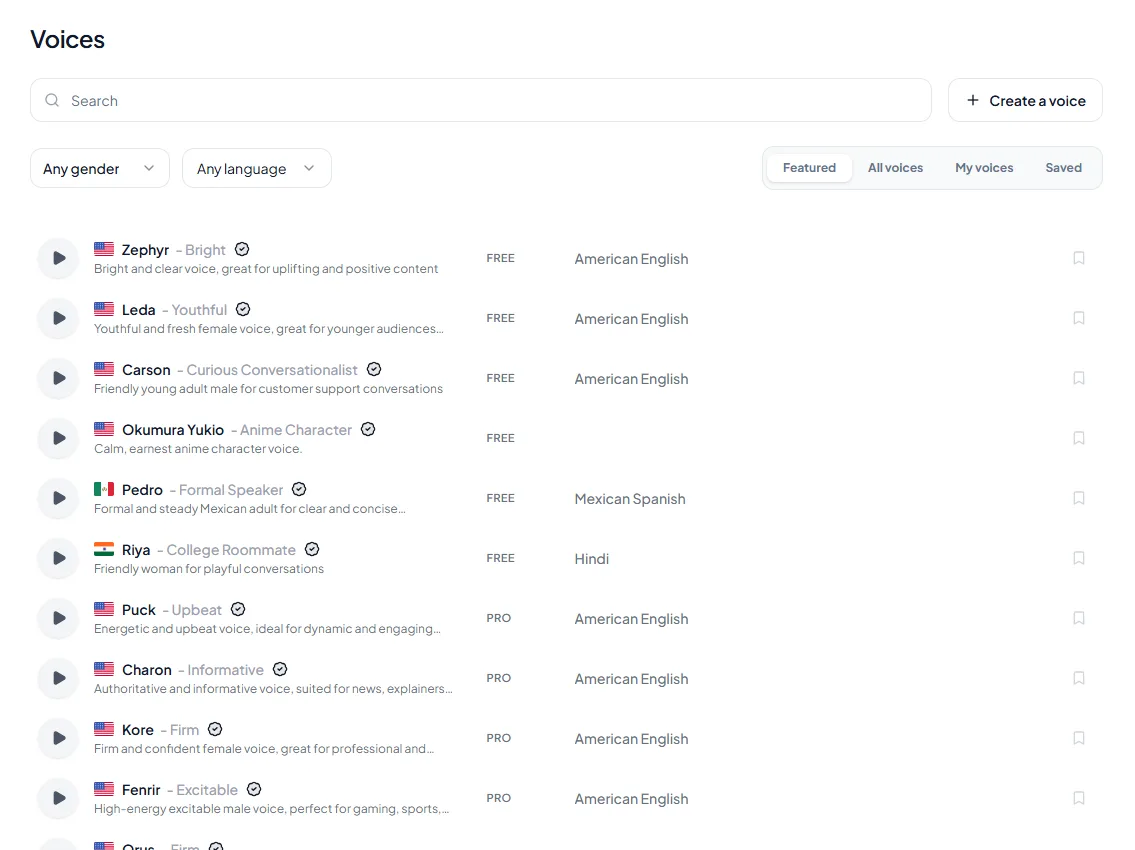
Kveeky covers steps 2 to 4 in the browser: paste a prompt, pick a voice, set the transcript language, adjust speed and volume, choose an emotion, and download the audio. The free plan gives 500 credits a month, about 40 seconds, with no credit card. Every paid plan includes commercial usage rights for generated audio. Our IVR voices page has a sample phone-menu script.

Should an IVR use AI voice or a human recording?
Use AI voice when prompts change often, ship in more than one language or must stay consistent; use a human recording when the greeting is part of your brand personality. Both are valid, and many companies mix them.
| Situation | Better fit | Why |
|---|---|---|
| Menu changes every few months | AI voice | You regenerate one line instead of rebooking a studio |
| Seasonal and holiday messages | AI voice | Quick to produce and swap the same day |
| 2 or more languages | AI voice | Same style across languages, without casting several speakers |
| Owner-led brand, where the voice is the personality | Human recording | Callers know the voice |
| Sensitive services, such as bereavement or crisis lines | Human recording | Tone and warmth matter most, and a person should answer quickly |
Telling callers they are hearing a recorded or automated message is good practice, especially if you offer a path to a person. If you clone a real person's voice for the greeting, get written consent first; our voice cloning guide explains why. For cloning options on Kveeky, see the pricing page, because plan limits apply.
IVR audio pre-launch checklist
Run this before you switch the menu on. Tick each item when it is true.
Tick each step when it is true for your phone tree.
Ticked: 0 of 8
Open what you need.
How do I say a phone number clearly?
What do I do when the voice mispronounces my business name?
Can I use the free plan for my live IVR?
What changes for outbound calls?
Keep reading: Synthetic voices for business phone systems · Voice user interface design for AI voiceovers · How businesses use text to speech for marketing · AI receptionist platforms compared · How to write an AI voiceover script · Make an AI voiceover sound less robotic · AI voice with emotion · Kveeky IVR voices
Frequently asked questions
What is the best text to speech for IVR?
For fixed greetings and menus, a voice tool that exports audio, such as Kveeky or ElevenLabs, is the simplest choice. For prompts that change per caller, use a live service such as Amazon Polly through your phone platform.
Can I use an AI voice for my IVR menu?
Yes. Generate each prompt, check your phone system's file rules, and upload the audio. Kveeky's pricing page says every paid plan includes commercial usage rights for generated audio.
What audio format does an IVR need?
It depends on the platform. Microsoft Teams auto attendants take WAV, MP3 or WMA up to 5 MB, RingCentral takes WAV or MP3 up to 20 MB, and Twilio Play accepts MP3, WAV, AIFF, GSM and u-law (all retrieved October 16, 2026).
How long should an IVR greeting be?
Keep the main greeting short, under about 15 seconds before the first menu option. That is our rule of thumb, not an industry standard, and about 37 words at 150 words per minute.
Is text to speech or a human recording better for IVR?
Use text to speech when prompts change often or run in several languages. Use a human recording when the voice is part of your brand personality.
How we checked this guide
This guide is written by Hitesh Kumawat for the Kveeky team. Disclosure: Kveeky makes an AI voice generator. No Kveeky usage data is used in this guide. Kveeky figures come from kveeky.com/pricing. We did not run listening tests, so we make no claims about voice quality, and we did not place test calls on every platform.
- Microsoft Teams auto attendant greeting formats, 5 MB limit, 1,000-character typed greeting and 54 text-to-speech languages: Microsoft Learn, Set up an auto attendant and Supported configurations, retrieved 2026-10-16.
- RingCentral WAV or MP3 greeting upload, 20 MB: RingCentral support, voicemail greeting, retrieved 2026-10-16.
- Twilio Play formats and transcoding note: Twilio, TwiML Play; Say with Amazon Polly and Google voices and SSML: Twilio, TwiML Say, both retrieved 2026-10-16.
- Amazon Polly prices: aws.amazon.com/polly/pricing, retrieved 2026-10-16. ElevenLabs plans: elevenlabs.io/pricing, retrieved 2026-10-16 (the page showed a launch discount on Starter; the table uses the regular price).
- Kveeky plans and rights: kveeky.com/pricing, retrieved 2026-10-16.
- The 150 words per minute pace is the average used on our words to minutes calculator. The 130 wpm slow pace, 15-second greeting guide, 50% retake allowance, 6 characters per word and the menu rules are our own planning assumptions.
Prices and file rules change, so confirm them on each vendor's page before you buy. Your next step: write the 10-line script above for your business, then paste the greeting into the Kveeky AI IVR voices page to hear it.
Turn your script into a voiceover
Paste your text, pick a voice and download the audio. Free to start, no credit card.