On this page
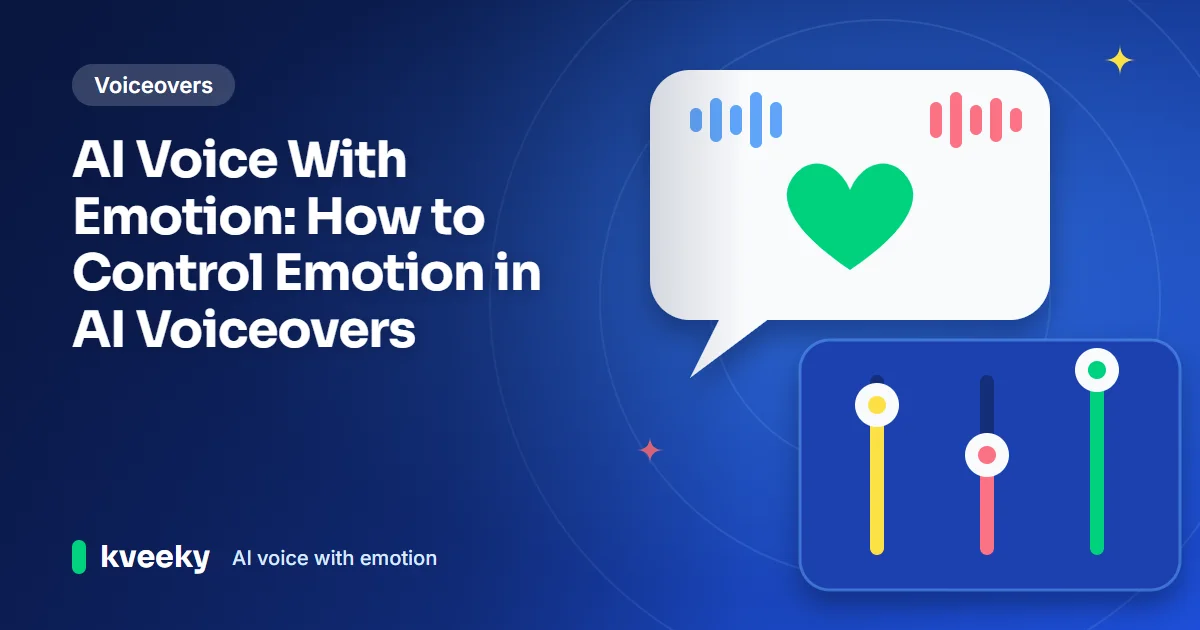
An AI voice with emotion changes its pitch, pace, loudness and pauses to match a feeling, so a line sounds excited, calm or serious instead of flat. You control it with emotion or style settings, a script with clear emotional cues, and small speed changes (and pitch changes, in tools that have a pitch control). Then you listen and adjust.
Last updated: October 7, 2026. We rechecked the research summary and the Kveeky features below on that date.
This guide is for video creators, course makers and marketers who want text to speech with emotion that fits the scene. It explains how emotion is generated, how much emotional range you really need, and how to direct a voice line by line.
Key Takeaways
- Emotion in speech is mostly prosody: pitch, speed, loudness and pauses. AI models learn these patterns from recorded speech.
- You have 3 levers: the voice you pick, the words and punctuation in your script, and the emotion controls in your tool.
- Kveeky has an Emotion setting with 6 choices (Neutral, Happy, Love, Angry, Calm, Sad), plus speed, volume and custom punctuation.
- Most projects need a small range done well: neutral, warm, excited, calm and serious cover most videos.
- AI still struggles with sarcasm and mixed feelings. For long, dramatic performances, a human voice actor is often the better choice.
On this page: What it is · How emotion is generated · Step by step · Script cues · Emotional range · Choosing a tool · Creepy and scary voices · Limits · FAQ
Choose the feeling your line needs. You get the cues from this guide and the matching choice in the Emotion setting of the Kveeky text-to-speech editor (Neutral, Happy, Love, Angry, Calm, Sad).
Pick one to see the advice.
What is an emotional AI voice
It's a synthetic voice that changes how it says a line, not just what it says. The same sentence can sound happy, worried or bored depending on its delivery.
Listeners hear emotion through a few patterns. The table shows typical tendencies in English speech. They aren't fixed rules, and every voice behaves a little differently.
| Emotion | Pitch | Speed | Loudness and energy | Pauses |
|---|---|---|---|---|
| Excited | Higher, more movement | Faster | Louder, brighter | Short |
| Happy or warm | Slightly higher, smooth | Medium | Medium | Natural |
| Calm | Steady, lower range | Slower | Soft, even | Longer |
| Serious or sad | Lower, flatter | Slower | Quieter | Longer, heavier |
| Confident | Firm, falls at the end | Medium, steady | Strong | Deliberate |
| Angry | Sharp changes | Fast or clipped | Loud, hard | Abrupt |
These patterns are part of prosody, the rhythm and melody of speech. Our guide to prosody in AI voiceovers explains each part in more detail.
How AI generates emotion
Modern AI voices learn emotion from recordings of real speech. A neural model studies how pitch, timing and energy change across many examples, then predicts those patterns for new text.
A 2024 systematic review in the EURASIP Journal on Audio, Speech, and Music Processing groups expressive text-to-speech models into 2 broad families:
- Supervised models learn from speech that people have labelled with an emotion, such as "happy" or "angry". You ask for a label and the model produces that style.
- Unsupervised models learn style from reference audio without labels. Common methods include a reference encoder, global style tokens and variational autoencoders.
The same review notes that researchers often use "emotion", "style" and "prosody" loosely. For you, the practical point is simple. Some tools let you pick an emotion by name, and others copy the feel of a sample or follow your script's cues.
Once the model has a plan for pitch and timing, a vocoder turns it into the audio you hear. That's why the words, punctuation and tags you write still shape the result.
Adding emotion step by step
Follow this process for any script. It works in most text-to-speech tools, and the Kveeky example shows the Emotion setting in use.
- Pick a voice that already fits the mood. A naturally warm voice needs less pushing to sound kind. Test 2 or 3 voices on the same line.
- Mark the emotion of each section. Write it in the margin first: "hook = excited, problem = serious, solution = confident".
- Write the cues into the script. Use words and punctuation that carry the feeling (see the next section).
- Set the emotion where your tool supports it. Choose one emotion for each line or section that changes mood. In Kveeky it is the Emotion dropdown.
- Adjust speed (and pitch, where your tool has it) in small steps. Slow down for calm or serious parts. Speed up a little for hooks.
- Generate, listen and compare. Make 2 versions of the key line with different emotions and keep the one that fits.
- Export and check it against the video. Emotion that sounds right alone can feel too strong under music.
Here's a short script with the emotion to pick for each line in Kveeky's Emotion setting:
Happy: We just hit 10,000 subscribers!
Calm: Thank you. Honestly, we didn't think this channel would last a month.
Neutral: So here's what's coming next.
Not every voice reacts to every emotion in the same way. Listen to a short test line before you set a whole script.
Copy this test line. Generate it three times in the Kveeky editor, once with Happy, once with Calm and once with Sad, then keep the version that fits your scene.
Tick each one as you go. It takes about a minute.

How Kveeky helps

- 1Pick a voice. Voices are tagged Free or Premium.
- 2Type or paste a short line. Pick an emotion if you want one.
- 3Choose the language and press play to hear it.
Try it yourself in the free voice demo on Kveeky, no sign-up needed. For longer scripts and downloads, use the free plan.
Emotional cues in narration
The script is your strongest emotion control. A model reads the whole sentence, so the words around a line change how it's spoken.
| Cue | Example | Effect on delivery |
|---|---|---|
| Emotional word choice | "I can't believe it worked!" | Lifts energy more than "It worked." |
| Exclamation mark | "Big news!" | More energy; use on 1 line, not every line |
| Short sentences | "It's gone. All of it." | Heavier, more serious beats |
| Ellipsis | "I thought... maybe not." | Hesitation or a thinking pause |
| Question | "Want to know the trick?" | Rising, curious tone for hooks |
| Direct address | "You've got this." | Warmer, more personal |
To show excitement using a voice, combine 3 cues: an excited emotion setting, a short line with an exclamation mark and a slightly faster speed. For a calm line, do the opposite with longer sentences, commas and a slower speed.
For more ways to shape delivery with timing, see our guide to pacing, pauses and emphasis tricks.
Emotional range in TTS
For most creators, a TTS engine should support a neutral read plus 4 or 5 clear emotions, and let you switch emotion line by line. Range matters less than control and consistency.
| Use case | Emotions you'll use most | Control you need |
|---|---|---|
| Explainers and tutorials | Neutral, warm, confident | Steady pace, clear emphasis |
| Social hooks and ads | Excited, confident | Fast switch from hook to message |
| E-learning and training | Warm, calm, encouraging | Consistency across long modules |
| Stories and audiobooks | Calm, sad, tense, happy | Per-line emotion and pauses |
| Games and branching scenes | Wide range per character | Tags per line, many voices |
Also check 3 extras. Can you set emotion per line, not just per file? Does the tool support non-verbal sounds such as a laugh? And does the same voice stay recognizable when its emotion changes?
If your project has several characters, our guide to generating dialogue with multiple voices shows how to keep each one distinct.
Choosing TTS with emotion
The best AI voice generator with emotion is the one that sounds right on your script, in your language, at your budget. Test with your own lines, not the demo text.
| What to check | Why it matters | How to test it |
|---|---|---|
| Emotion controls | Tags, styles or prompts decide how precise you can be | Read 1 line in 3 emotions |
| Per-line switching | Real scripts change mood often | Tag a hook and a serious line in one file |
| Speed and pitch | Fine-tunes intensity | Slow a calm line by a small step |
| Voice choice and language | Emotion has to work in your language | Test the same line in each language you publish |
| Free tier and rights | You need to test before you pay, and publish legally | Read the plan page and terms |
| Export formats | Your editor needs a usable file | Download and import into your editor |
Kveeky gives you 700+ AI voices in 40+ languages, an Emotion setting with 6 choices, speed and volume control, and downloadable audio. Every paid plan includes commercial usage rights. Other tools win in some areas, so compare them in our AI voice provider reviews.
Creepy or scary voices
A creepy AI voice comes from slow pacing, lower pitch and long pauses, not from a special "horror" voice. Most text to speech tools can do it with the settings you already have.
- Pick the base voice. A deep, low voice for a menacing narrator, or a soft, light voice for an unsettling whisper-like read.
- Slow it down. Try about 0.8× speed. Rushed speech sounds nervous, not scary.
- Lower the pitch slightly. Small steps work best; a big drop starts to sound robotic.
- Write the pauses in. Use ellipses and short sentences: "I wasn't alone… The door was already open."
- Keep the emotion flat. A calm, even delivery on frightening words is more unsettling than an excited one.
- Add sound design afterwards. Low drones and room tone do more for horror than any voice setting.
| Scary style | Voice | Speed | Pitch | Script trick |
|---|---|---|---|---|
| Horror narrator | Deep male or female | 0.8× | Slightly down | Long sentences that end on a short one |
| Creepy whisper | Soft, light voice | 0.85× | Neutral | Ellipses between phrases |
| Villain or monster | Deep, rough voice | 0.75× | Down | Stretch key words: "Sooo… you came back." |
| Unsettling calm | Warm, friendly voice | 1.0× | Neutral | Polite words about frightening things |
In Kveeky you can set speed and volume and choose the Calm emotion for that flat, eerie delivery. Kveeky has no pitch control, so pick a deeper voice for step 3. For ready-made character voices, browse the Kveeky AI character voice library. If you publish horror content, label synthetic voices where viewers could be misled.
Limits for emotive content
AI voices handle clear, single emotions well. They still struggle with feelings that depend on context or contrast.
- Sarcasm and irony. The model may read a sarcastic line as sincere, because the words say one thing and mean another.
- Mixed feelings. "Bittersweet" often comes out as plainly sad or plainly happy.
- Long dramatic scenes. Keeping emotion consistent over a long performance is hard. For long-form drama, a human voice actor is still better.
- Over-acting. Too many tags or exclamation marks make a voice sound fake. Save strong emotion for the lines that need it.
- Trust. Emotional AI voices can mislead if listeners think a real person is speaking. Disclose AI voices where your platform or audience expects it.
A workaround for sarcasm is to rewrite the line so the meaning is in the words. Add a pause before the twist, then lower the energy on the final word.
Frequently asked questions
Can I get text to speech with emotion for free?
Yes, to try it. Kveeky's free plan gives 500 credits a month (about 40 seconds) with standard voices and no credit card. Test the Emotion setting on a short line first, since voices respond differently.
Can you clone a voice with emotion?
A clone copies how a voice sounds, and the emotion mostly comes from your script and settings. Record your clone sample in the tone you use most. For what each Kveeky plan includes for cloning, see the pricing page.
Are there TTS tools with emotion tags for branching narratives?
Yes. Some tools use SSML or their own tags to set emotion line by line, which suits branching scenes. In Kveeky, you choose the emotion in the Emotion setting before you generate each line.
Can AI text to speech do sarcasm?
Only partly. Models often read sarcasm as sincere. Put the meaning in the words, add a pause before the twist and keep the final words low and slow.
What's the difference between emotion and prosody?
Prosody is the rhythm, pitch, stress and pauses of speech. Emotion is the feeling a listener hears, and it's carried mostly through prosody.
How do I make an AI voice sound excited?
Use an excited emotion (Happy in Kveeky), keep the line short, end it with one exclamation mark and raise the speed slightly. Don't make every line excited, or nothing will stand out.
- Emotional control in AI voice generation
- Emotional intonation control in TTS
- Make your AI voiceover sound less robotic in 5 minutes
- Online AI text-to-speech tool with emotional expression
- Match AI voice tone to your niche
- Pacing AI voiceovers for complex topics
- Browse character and AI voices
- Kveeky pricing and free plan
How we checked this guide
This guide is written by Hitesh Kumawat for the Kveeky team. Disclosure: Kveeky makes an AI voice generator.
- The model families come from a 2024 review by Barakat, Turk and Demiroglu in the EURASIP Journal on Audio, Speech, and Music Processing. Read it here: Deep learning-based expressive speech synthesis, retrieved October 6, 2026.
- Kveeky features and plan details come from kveeky.com and its pricing page, retrieved October 6, 2026.
- The emotion and prosody table describes typical tendencies, not measurements. No Kveeky usage data is used in this guide.
Your next step: pick one line from your next script and generate it in 3 emotions, then keep the one that fits. If your voice still sounds flat after that, work through our checklist to make your AI voiceover sound less robotic. For long-form stories, see how creators use AI voiceover for audiobooks.
Related guide: Sexy AI Voice Generator: Make Sultry, Seductive Voices.
Turn your script into a voiceover
Paste your text, pick a voice and download the audio. Free to start, no credit card.