TL;DR
- Text to speech vs voice cloning: what each does, what it costs per plan, the consent rules, and a decision table to pick the right one for your project.
On this page
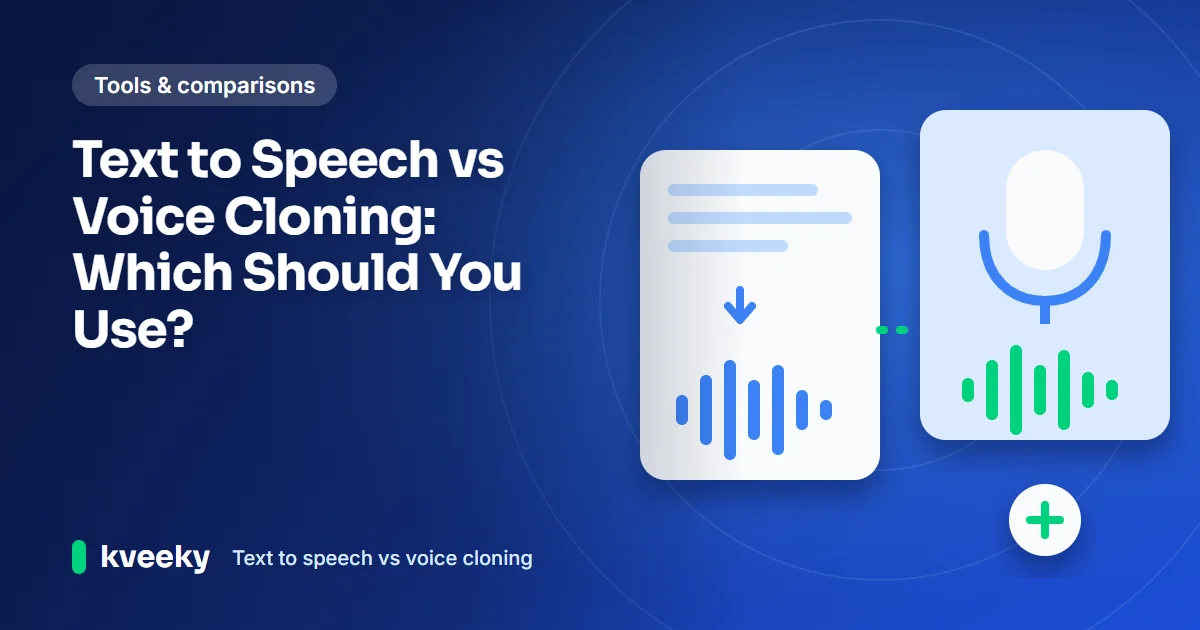
Text to speech vs voice cloning comes down to one question: does it matter whose voice it is? Text to speech reads your script in a ready-made stock voice. Voice cloning first copies one real person's voice from a recording, then reads your script in that voice. Use text to speech by default; clone only when identity matters and you have consent.
Last updated: October 10, 2026. Every plan detail below was read on the vendor's own pricing page on that date.
This guide is for creators, course builders and small teams in the US and UK who need voiceover and are choosing between the two. It covers how each works, what each costs, the consent rules, and a decision table you can use today.
Key Takeaways
- Both use the same engine. A cloned voice is still text to speech. The difference is where the voice comes from: a stock library or a recording of one person.
- Text to speech is the right default for training, explainers, ads, phone menus and most social video, where any clear voice works.
- Cloning is worth it when the voice is the brand: a founder, a course instructor, an author narrating their own book, or a recurring host.
- Cloning needs consent. Clone only your own voice or one you have written permission to use. The FCC treats every AI-generated voice in a robocall as "artificial", cloned or not.
- On Kveeky, cloning has no separate fee. Paid plans include all 700+ voices plus 5 to 20 voice clones, so cloning adds setup work, not a separate bill.
On this page: The difference · How each works · When to use TTS · When to clone · Decision table · Cost · Worked example · Consent and law · Consent checklist · Using both · FAQ
TTS vs voice cloning
Text to speech turns text into audio in a voice from a library. Voice cloning adds one step before that: it learns a specific person's voice from a recording. After the clone exists, you use it like any other text to speech voice. If you only want to change how a recording sounds, that is a third option: see voice changer vs text to speech vs voice cloning.
| Factor | Text to speech (stock voice) | Voice cloning |
|---|---|---|
| Where the voice comes from | A ready-made library (Kveeky: 700+ voices) | A recording of one real person |
| Setup before first use | None: pick a voice and paste a script | Record clean audio, get consent, create the clone |
| Who the listener hears | A voice with no real-world identity | A person they may recognize |
| Consent needed | No, beyond the tool's own terms | Yes, from the person whose voice it is |
| Voice choice | Many accents, genders and styles to switch between | One voice per clone; quality depends on your recording |
| Main risk | Sounding generic | Misuse, impersonation, or a voice you lose the right to use |
| Typical uses | Training, explainers, ads, phone menus, social video | Founder videos, instructor-led courses, author audiobooks, a recurring host |
In short: text to speech gives you choice and zero setup. Voice cloning gives you one identity, at the cost of setup and responsibility.
How each one works
Both start with a script and end with an audio file. Cloning adds a voice-creation step at the start, which you do once per voice.
A text to speech model predicts how your words should sound, then a second model turns that into a waveform. Our guide on how text to speech works explains those stages. A clone uses the same stages, guided by what the model learned from the person's recording.
That is why recording quality matters so much for cloning. The model copies room echo, background hum and mouth noise along with the voice.
When to use TTS
Use text to speech whenever the listener doesn't need to hear a specific person. That covers most voiceover work, and it is the faster, lower-risk choice.
Text to speech is the better fit when:
- The voice is a narrator, not a person. Training modules, product explainers and safety videos need clarity, not a known face.
- You need several voices. Dialogue, characters, or a male and a female voice for A/B tests are easier from a library.
- You need other accents or languages. A stock library covers accents and languages your own voice can't. Kveeky has voices in 40+ languages.
- You publish fast or at volume. No recording session, no consent paperwork, no re-records when someone's voice changes.
- Nobody on the team wants to be the voice. A stock voice doesn't leave the company when an employee does.
You can hear the library on the Kveeky AI voices page before you choose.
When cloning is worth it
Clone a voice when the identity of the speaker is the point. If your audience would notice or care that the voice changed, cloning is worth the setup.
Good reasons to clone:
- A founder or creator who is already the face of the brand and wants to publish more video without recording every line.
- An instructor-led course where students expect the teacher's voice, including fixes and updates months later.
- An author narrating their own audiobook or newsletter audio.
- A recurring host or mascot voice that must stay identical across hundreds of episodes.
- Accessibility for the speaker: someone who can't record for long periods can keep publishing in their own voice.
Weak reasons to clone: "it sounds more real" (good stock voices already sound natural for narration), or copying a voice you don't have permission to use. Our voice cloning guide covers how to record and create a clone step by step.
Decision table
Pick the row that matches your project. If 2 rows apply, the cloning row usually needs a consent step first.
| Your project | Use | Why |
|---|---|---|
| Compliance or onboarding training | Text to speech | Clarity matters more than identity, and updates are frequent |
| Course taught by a named instructor | Voice cloning (instructor's own voice, with consent) | Students expect the same teacher in every lesson |
| Product demo or explainer | Text to speech | Easy to swap voices for A/B tests and new markets |
| Founder update or personal-brand video | Voice cloning | The audience follows the person, not the product |
| Paid ads for US and UK audiences | Text to speech | Pick a US or UK accent per market without new recordings |
| Phone menu or voicemail greeting | Text to speech | A neutral voice ages better than one employee's voice |
| Author's own audiobook | Voice cloning | Readers buy the author's voice |
| Characters, dialogue, multiple speakers | Text to speech | You need range, and a library has it |
| A celebrity, actor or public figure's voice | Neither, without a written license | Copying a voice without permission creates legal and platform risk |
Uses the decision table above. Without JavaScript, read the table.
Cloning vs TTS cost
On most tools, cloning sits inside a paid plan rather than costing extra per minute. The real price differences are which plan unlocks cloning and how many clones you get. We read each vendor's pricing page on October 10, 2026.
| Tool and plan | Monthly price | Included audio | Voice cloning on this plan |
|---|---|---|---|
| Kveeky Basic | $9 ($7.50 billed yearly) | 100 minutes | 5 custom voice clones; all 700+ stock voices |
| Kveeky Pro | $19.99 ($12.50 billed yearly) | 133 minutes | 10 custom voice clones |
| Kveeky Premium | $29 ($24.17 billed yearly) | 200 minutes | 10 custom voice clones |
| Kveeky Business | $99 ($82.50 billed yearly) | 1,000 minutes | 20 custom voice clones plus Pro voice cloning |
| ElevenLabs Starter | $6 | About 30 minutes | Instant Voice Cloning |
| ElevenLabs Creator | $22 | About 121 minutes | Instant Voice Cloning plus 1 Professional Voice Clone |
| Typecast Basic | $5 ($54 billed yearly) | About 35 minutes | 1 instant cloning slot |
| Typecast Plus | $19 ($204 billed yearly) | About 50 minutes | 1 professional cloning slot |
| WellSaid Starter | $19 ($10 billed yearly) | 20 minutes | Not listed on the pricing page |
Where others win: ElevenLabs and Typecast have the cheapest entry plans with cloning ($6 and $5). ElevenLabs also lists Professional Voice Cloning from its $22 Creator plan, while Kveeky lists Pro voice cloning only on Business. Kveeky lists more included minutes per dollar than these entry plans, and more clone slots than Typecast at each price.
Two notes. Kveeky's clone limits are per account, not per month, so you don't lose a clone when the month resets. The Free plan has only 500 credits (about 40 seconds) and standard voices, and voice cloning is on paid plans, so plan a clone on Basic or higher.
Worked example: 60 minutes a month
Say a UK software company publishes 20 three-minute product videos a month: 60 finished minutes. The marketing lead is the face of the channel. Should the voiceover be a stock voice or their clone?
| Option | Plan that covers 60 minutes | Monthly cost | Extra work |
|---|---|---|---|
| Kveeky, stock voice | Basic (100 minutes) | $9, or $7.50 billed yearly | None |
| Kveeky, cloned voice | Basic (100 minutes, 5 clones) | $9, or $7.50 billed yearly | Consent form, 1 clean recording session, a test script |
| ElevenLabs, cloned voice | Creator (about 121 minutes) | $22 | Same as above; Starter's 30 minutes is too small |
| Typecast, cloned voice | Pro (about 90 minutes, 2 cloning slots) | $29, or $312 billed yearly | Same as above; Plus's 50 minutes is too small |
On Kveeky, the clone costs nothing extra: the plan includes 5 clones, and the pricing page lists no separate clone fee. The cost per finished minute is $0.15 billed monthly ($9 ÷ 60) or $0.125 billed yearly ($7.50 ÷ 60). Those are our calculations from the plan price and the minutes above.
The real cost of cloning here is risk, not money. If the marketing lead leaves, the company needs a written agreement that says whether it may keep using the clone. Without one, the safe choice is to stop and re-voice the videos.
The Kveeky words to minutes calculator turns a script's word count into minutes, so you can size a plan before you start.
Enter your output. Plan sizes and prices are the ones in the cost table above; confirm them on the pricing page.
Not sure how long a script runs? The words to minutes calculator turns word count into minutes. See the pricing page for current plans.
Consent and legal rules
The rule that matters most is consent: clone only your own voice, or a voice whose owner has agreed in writing. Several laws also apply to AI voices in general, cloned or not.
- US robocalls: on February 8, 2024, the FCC ruled that calls made with AI-generated voices are "artificial" under the Telephone Consumer Protection Act. Telemarketing robocalls with any AI voice, stock or cloned, need the same prior express consent as other prerecorded calls (FCC news release, retrieved 2026-10-10).
- EU, including UK businesses selling there: Article 50 of the EU AI Act requires deployers of AI that generates a "deep fake" to disclose that the content is artificial. It applies from 2 August 2026 (AI Act Article 50, retrieved 2026-10-10).
- US states: several states protect a person's voice as part of their likeness. Our guide on whether voice cloning is legal lists the state laws and recent cases.
Stock text to speech voices avoid the likeness question, because they don't copy a real, identifiable person. Disclosure rules can still apply to them. This isn't legal advice; for client or paid work, check with a lawyer where you publish.
For the plan-by-plan rights question, see our guide to commercial use of AI voiceovers. Kveeky's pricing page says every paid plan includes commercial usage rights for generated audio.
Consent checklist
Use this checklist before you create a clone of anyone, including yourself on a company account. Treat it as a starting point to give your lawyer, not a contract.
- Written consent from the voice owner, naming the tool and the purpose.
- Scope: which channels, products and languages the clone may be used for.
- Duration: how long the company may use the clone, and what happens if the person leaves.
- Approval: whether the person reviews scripts before audio is published.
- Payment: whether the person is paid for use of their voice, and how.
- Withdrawal: how the person can ask for the clone to be deleted.
- Disclosure: where you will tell listeners the voice is AI-generated.
- Storage: where the consent record lives, next to the clone's name in your tool.
Tick what you have in hand. Items 1 to 3 are the minimum. Nothing is saved or sent.
If you can't tick items 1 to 3, use a stock text to speech voice instead. For the wider ethical questions, read our guide to the ethics of voice cloning in video production.
Using both together
Yes, and many teams should. Use a clone for the one voice your audience knows, and stock voices for everything around it.
A common split:
- Clone: the founder's intro and outro, or the instructor's lesson narration.
- Stock voices: second speakers in dialogue, quiz questions, phone menus and ad variants.
- Stock voices in other accents or languages: versions for new markets, where a clone of one English speaker may not fit.
On Kveeky, every paid plan includes both the full stock library and voice clones. That lets you run a mixed workflow on one plan.
Frequently asked questions
Is voice cloning the same as text to speech?
No, but it uses text to speech. Text to speech reads text in a stock voice. Voice cloning first copies a real person's voice from a recording, then reads text in that voice.
Is voice cloning better than text to speech?
Not in general. Cloning is better only when the listener needs to hear a specific person. For training, explainers, ads and phone menus, a stock voice is faster, has no consent step and is easier to change.
Does voice cloning cost more than text to speech?
On many tools, no: clones are included in paid plans with no separate fee listed. Kveeky paid plans include 5 to 20 voice clones. ElevenLabs lists Instant Voice Cloning from its $6 Starter plan.
Is it legal to clone someone else's voice?
Only with their permission, and ideally in writing. Copying a real person's voice without consent can break likeness laws in several US states. In the US, AI voices in robocalls also fall under the TCPA.
Can I clone my own voice for my business videos?
Yes, if it's your voice and the tool allows it. On a company account, agree in writing how the company may use your clone, including after you leave.
How we checked this guide
This guide is written by Deepak Gupta for the Kveeky team. Disclosure: Kveeky makes an AI voice generator. We list Kveeky's plans first for ease of comparison and state where other tools cost less. No Kveeky usage data is used in this guide. Every figure above is external and linked, or from kveeky.com/pricing.
- Kveeky plans, clones and rights: kveeky.com/pricing.md, retrieved 2026-10-10.
- ElevenLabs: elevenlabs.io/pricing, retrieved 2026-10-10. Starter and Creator show first-month discounts; we list the regular monthly price.
- Typecast: typecast.ai/pricing, retrieved 2026-10-10.
- WellSaid: wellsaid.io/pricing, retrieved 2026-10-10.
- FCC Declaratory Ruling on AI-generated voices in robocalls: FCC news release, February 8, 2024, retrieved 2026-10-10.
- EU AI Act, Article 50: artificialintelligenceact.eu, retrieved 2026-10-10.
Cost per minute is our calculation: plan price ÷ the minutes needed. Minute figures marked "about" are the vendor's own estimates.
Your next step: take one real script, pick the row in the decision table that fits it, and test it. If identity doesn't matter, try 3 stock voices; if it does, run the consent checklist first. For training and course narration, start with the Kveeky voice generator for e-learning and compare plans and clone limits.
Turn your script into a voiceover
Paste your text, pick a voice and download the audio. Free to start, no credit card.