TL;DR
- ✓ Multi-voice narration transforms passive lectures into active, conversational learning experiences.
- ✓ Dialogue helps manage cognitive load by mirroring a learner's internal questions and curiosity.
- ✓ Use multiple narrators for soft skills, leadership, and complex subject matter training.
- ✓ Avoid multiple voices if they distract from the core instructional content or lesson.
On this page
Use multi-voice narration when a lesson has natural roles, such as a dialogue, scenario, role-play, interview or question-and-answer. Stick to one narrator for step-by-step procedures, software walkthroughs and dense technical content. In most courses, 2 clearly different voices are enough: one guide and one learner, customer or colleague.
Last updated: October 6, 2026. Research citations were checked against the published study abstracts on that date.
This guide is for instructional designers, course creators and L&D teams deciding how to cast a course. It covers when a second voice helps, when it gets in the way, how to script dialogue, and how to produce it with human or AI voices.
Key Takeaways
- Let the content decide. Scenarios, role-plays and soft-skills lessons suit 2 voices. Procedures and technical walkthroughs suit 1.
- Keep the cast small. 2 voices cover most lessons. If you need more, give each a clear, named role.
- Make voices easy to tell apart. Contrast pitch, pace and energy so learners know who is speaking without a visual cue.
- Research supports conversational wording, but we found no controlled study on the ideal number of narrators. Treat cast size as a design choice and test it.
- AI voices make 2-voice lessons cheaper to produce and update. Modern text-to-speech performed close to human voices in recent learning studies.
On this page: When to use it · When to use one voice · Research · Script test · How many · Casting · AI or human · Build it · FAQ
When to use multi-voice
Use 2 or more voices when the lesson is about people talking to each other, or when a second voice can ask the learner's question out loud.
| Content type | Voices | Why |
|---|---|---|
| Customer service and sales scenarios | 2 | Learners hear the conversation they'll have at work |
| Leadership and feedback role-plays | 2 | Shows both sides: the manager and the employee |
| Compliance "gray area" cases | 2 | One voice explains the rule, the other raises the real-world doubt |
| Expert interviews and Q&A | 2 | A host asks what learners would ask |
| Language learning dialogues | 2 or more | Learners need to hear different speakers |
| Software walkthroughs | 1 | Learners are busy following clicks on screen |
| Safety procedures | 1 | One steady voice keeps attention on the steps |
| Dense technical theory | 1 | Fewer changes leave more attention for the concepts |
The second voice should do a job. A host who asks "Wait, how does that apply to my team?" voices the learner's question before they have to ask it.
Tap the closest match. The answers come from the table above.
When to stick to one narrator
Stick to one narrator when the lesson is a procedure, a demo or a block of technical facts. In these lessons, learners are already working hard to follow the material.
A voice change makes the learner adjust to a new speaker, pace and tone. That's useful when the change carries meaning, such as a customer replying. It's a distraction when 2 voices simply take turns reading the same kind of content.
One steady narrator also makes a long course feel coherent. If you record it yourself, our guide on how to narrate a long course without vocal strain helps you keep your voice consistent across modules.
Research on narrator voices
The research supports conversational, clear narration. It says little about how many narrators to use.
- Conversational wording helps. Mayer and colleagues (2004) found students who heard conversational narration ("your lungs" instead of "the lungs") did better on transfer tests across 3 experiments.
- Voice quality matters less than it used to. Craig and Schroeder (2019) found a modern text-to-speech engine was not statistically different from a recorded human voice in most respects. Chiou, Schroeder and Craig (2020) found voice quality didn't significantly change learning, though it did change trust.
- Familiar accents helped. Mayer, Sobko and Mautone (2003) found learners did better on transfer with a standard accent than a foreign one, and with a human voice than an older machine voice.
We found no controlled study that tests 1 vs 2 vs 3 narrators in a course. The casting advice below is design practice, so test it with your own learners. For a fuller summary, see our article on what research says about voice in learning.
The two-voice script test
Before you cast anyone, read one page of the script aloud with a colleague. Then run 3 checks.
- The flow test. Does it sound like people talking, or like a manual split into 2 parts? If it's a manual, use one voice.
- The question test. Is there real back-and-forth: questions, doubts, reactions? A dialogue needs gaps for curiosity and clarification.
- The role test. Can you describe each speaker in one line, such as "experienced manager" and "new hire"? If the roles are interchangeable, the second voice adds noise.
When you write the dialogue, use contractions, short turns and natural reactions. Avoid having one character deliver a lecture while the other just says "Interesting!"
Read one page of your script aloud with a colleague, then tick what is true.
How many narrators is too many?
For most lessons, 2 is the right number. A third voice can work for a short scenario, such as a manager, an employee and a customer, if each has a distinct role.
Beyond 3, learners spend effort tracking who is who. If a scenario needs more characters, introduce each one by name and keep them in separate scenes.
Casting contrasting voices
Learners should know who is speaking within the first few words. Contrast is what makes that possible.
| Role pair | Voice 1 | Voice 2 |
|---|---|---|
| Expert and learner | Lower, slower, calm | Brighter, quicker, curious |
| Manager and employee | Steady, warm | Younger-sounding, a little uncertain |
| Agent and customer | Friendly, clear | Frustrated at first, then relieved |
| Host and guest expert | Conversational, upbeat | Measured, precise |
Give each speaker a short persona brief: who they are, how they relate to the other speaker, and what they want from the conversation. This works for human actors and for choosing AI voices and emotion settings. Find more ideas in our guides to matching voice tone to your niche and to AI voice acting for video producers.
AI voices or human narrators
Both work. The choice depends on emotional range, budget and how often you'll update the course.
| Human narrators | AI voices | |
|---|---|---|
| Emotional range | Stronger for subtle, high-stakes scenes such as difficult conversations | Good for clear dialogue; the emotion setting adds energy or warmth |
| Audio match between voices | Needs the same room, mic and engineer, or careful mixing | Voices come out with consistent audio quality |
| Updates | Re-book both actors | Edit the line and regenerate |
| Cost of a second voice | A second booking | Uses minutes from the same plan |
| Languages | New cast per language | Kveeky has voices in 40+ languages |
A common approach is a human lead narrator with AI voices for supporting roles, or AI for both roles in low-stakes scenarios. For corporate courses, our guide to fixing the voice in internal training videos covers when to upgrade.
Building a 2-voice lesson
- Mark the speakers in your script, for example "HOST:" and "LEARNER:".
- Pick 2 contrasting voices. Kveeky has 700+ voices, so preview a few pairs and play them back to back.
- Generate each speaker's lines with the same voice and settings every time. Save the settings in your script document.
- Add emotion where it carries meaning, such as the Happy setting for a breakthrough moment.
- Download the audio and place the lines in your editor or authoring tool, leaving short, natural gaps between turns.
- Match loudness. Normalize all lines to the same level so neither voice jumps out.
- Listen to the whole scene without looking at the script. If you can't tell who's speaking, increase the contrast.
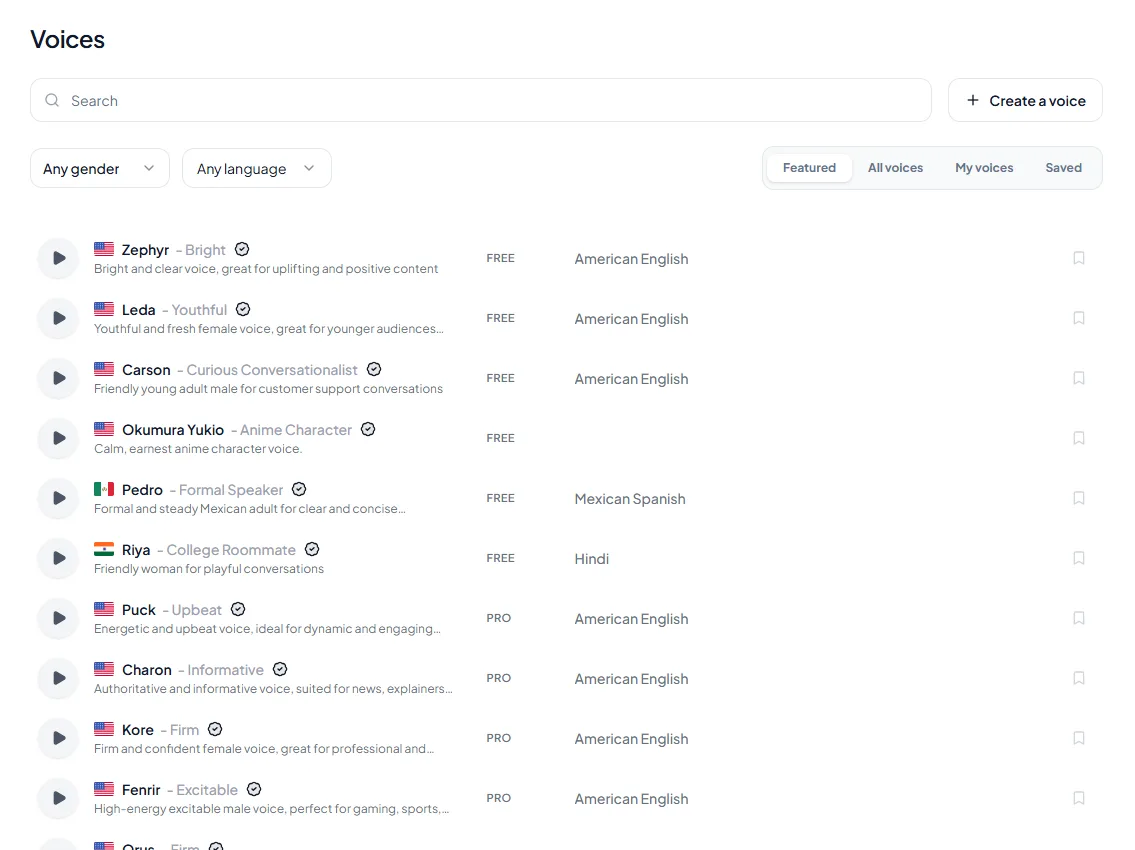
Paste into your script document. Keep the voice sheet line with the script so every module uses the same settings.
Enter the finished length of both voices together and how many times you expect to generate it (retakes for pairs you want to compare).
Planning estimate based on 500 credits being about 40 seconds of audio. Check the pricing page for plan details.
Our guide to generating dialogue with multiple voices walks through a dialogue workflow in more detail. For sample course narration, see our AI voiceover for training videos page.
Frequently asked questions
Does using multiple narrators confuse learners?
Not when each voice has a clear role and sounds different. Confusion comes from similar-sounding voices or speakers whose roles aren't defined.
How many narrators should an e-learning course have?
Usually 1 for procedures and technical content, and 2 for scenarios and role-plays. Use 3 only for short scenes where each speaker has a distinct role.
What's the best way to script a dialogue for e-learning?
Write the way people talk: contractions, short turns and real reactions. Let one speaker ask the questions your learners would ask, so the conversation moves from theory to practice.
Can I use AI voices for multi-voice courses?
Yes. Modern text-to-speech performed close to human voices in recent learning studies, and AI voices are easy to update. For emotionally complex scenes, a human narrator may still be the better choice.
How do I keep 2 voices consistent across a course?
Use the same voices and settings for each role throughout the course, and keep them in your script document. Normalize loudness so both voices play at the same level.
- Generate Dialogue with Multiple Voices
- E-learning Voiceover Guide: AI Narration for Online Courses (2026)
- Why Students Drop Off Your Course (And What Your Narration Has to Do With It)
- Accessibility Isn't Optional: Making Your Courses Work for Everyone
- Internal Training Videos Nobody Wants to Watch? Fix the Voice First
- Matching AI Voice Tone to Your Niche: Gaming vs. Finance vs. Self-Help
- The Rise of AI Voice Acting: A Comprehensive Guide for Video Producers
- Kveeky pricing (free plan and paid plans)
- Browse AI voices by language and style
How we checked this guide
This guide is written by Govind Kumar for the Kveeky team. Disclosure: Kveeky makes an AI voice generator. We rewrote an older version of this post and replaced general claims with findings from published studies.
- Conversational style: Mayer, Fennell, Farmer and Campbell (2004), Journal of Educational Psychology, abstract read October 6, 2026.
- Voice and accent: Mayer, Sobko and Mautone (2003), Journal of Educational Psychology, abstract read October 6, 2026.
- Modern text-to-speech vs human voice: Craig and Schroeder (2019), Journal of Educational Computing Research, and Chiou, Schroeder and Craig (2020), Computers & Education, abstracts read October 6, 2026.
- Kveeky facts come from kveeky.com/pricing, retrieved October 6, 2026. No Kveeky usage data is used in this guide.
Try it on one scenario: pick a 2-minute role-play from your course, cast 2 contrasting voices, and ask 3 learners if they could follow who was speaking. Then see how teams use voice in other content in our guide to text-to-speech tools for business.
Turn your script into a voiceover
Paste your text, pick a voice and download the audio. Free to start, no credit card.